
Do you work on my system?
Your services and equipment.
Heating, air conditioning, heat pumps, ventilation and the systems your business actually works on.
Choose a ready-made HVAC template or generate a design from your business details. Preview, edit and download your heating and cooling website.
Show customers what you do, where you work and how to reach you. Bring your services, photographs and contact details together on one page.
Create my HVAC website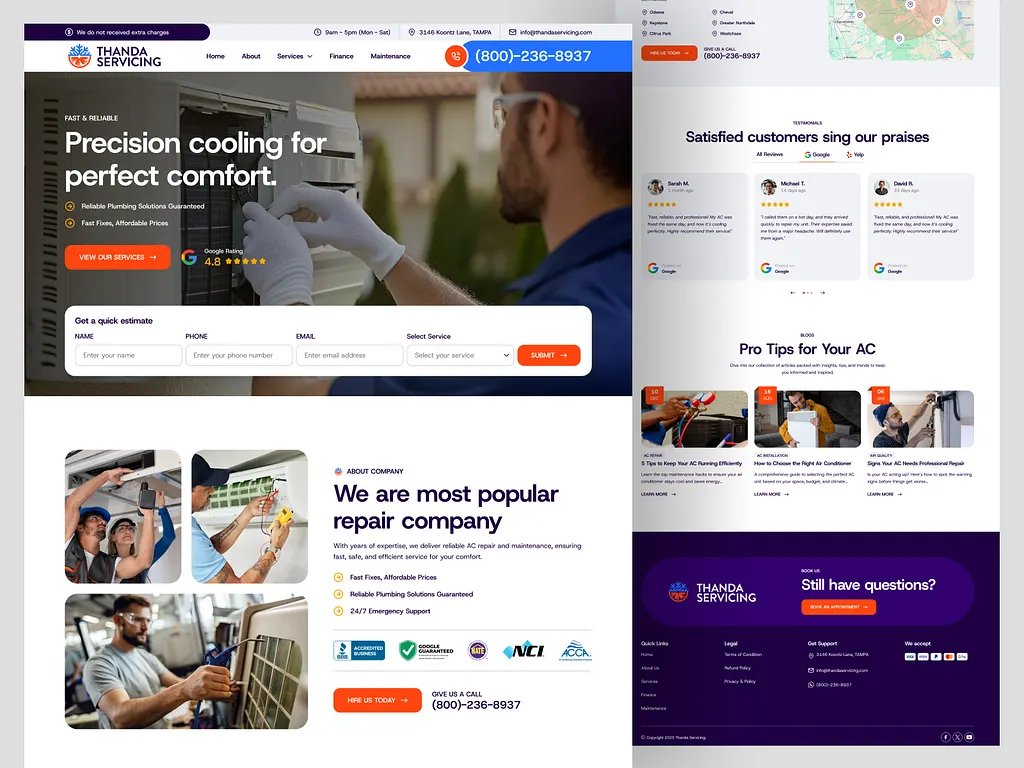
A name, phone number, email and short description are enough to begin. Add more details when you have them.
Enter my detailsBuild the page around the questions people ask before they call an HVAC company.
Heating, air conditioning, heat pumps, ventilation and the systems your business actually works on.
List the towns you serve and add your address, hours and contact details.
Show completed projects, introduce your team and add genuine reviews, qualifications and warranty information.
Make your phone number easy to find and give visitors a short enquiry form connected to your business email.
Change the words and photos. Move sections into place. Add your real reviews, credentials and hours when you’re ready.

Your first design stays editable. Check the details and decide what you want to change.
Switch between desktop and mobile preview. Check the layout, your services and contact information.
Choose another HVAC template without a template limit. For AI designs, each regeneration uses one of your five free generation requests.
Change text, photos, colours and sections. Remove anything you don’t need and save your changes.
Download the website files, ask us to help with the launch, or request a custom website.
What to expect from your HVAC website generator.
It creates a website for a heating, ventilation or air conditioning business. WebsiteGeneratorHub offers 100 ready-made HVAC templates or AI generation from your business details, with services, contact options and editable sections.
Yes. All 100 HVAC templates are free to use, edit and download without a template limit. Keep the linked platform credit in free downloads. You also have five free AI generation requests, including regenerations, shared across Roofing and HVAC in your browser. You can edit and download saved websites after using that allowance. Hosting, a domain and optional launch or custom design help are separate.
Enter your business name, phone number, email and a short description. You can generate from those basics or add services, areas, photos and other details first.
Google Maps import is optional and may be unavailable. When enabled, paste your HVAC business listing link and provide the email for enquiries. Where listing import is supported, available name, phone, address and hours can be used, plus up to five reviews supplied by Google with attribution. Reviews may be unavailable. Photos and a complete list of services are not imported; add your own. You can correct and complete the website in the editor.
Yes. Describe the work and location in your own terms: boilers, heat pumps, furnaces, air conditioning, ventilation or maintenance. The design should describe your actual services. Add your real credentials and service areas before publishing.
Yes. Matching section designs are ready in the editor. Add your genuine reviews, license details, coverage and warranty terms. You decide which sections belong on the published website.
Generated designs include responsive layouts, page titles and structured business information. Review the mobile preview before publishing. Search visibility depends on your published website and search engines; generation does not guarantee indexing, rankings or enquiries.
The contact form is addressed to the business email you provide. Delivery depends on working mail configuration. Downloaded websites need compatible PHP hosting and their contact form configured before launch.
Yes. Download the website files and use compatible hosting, or request launch help. You can replace images, change text, adjust colours and arrange sections before downloading.
Start with your details, or use Maps import when available.