Website guidesProduct guides
AI website or ready-made template: which should you choose?
Choose between an AI website and a ready-made template. Compare control, editing, limits and timing, then pick the route that fits your business.


The short answer
AI website or ready-made template: which should you choose?
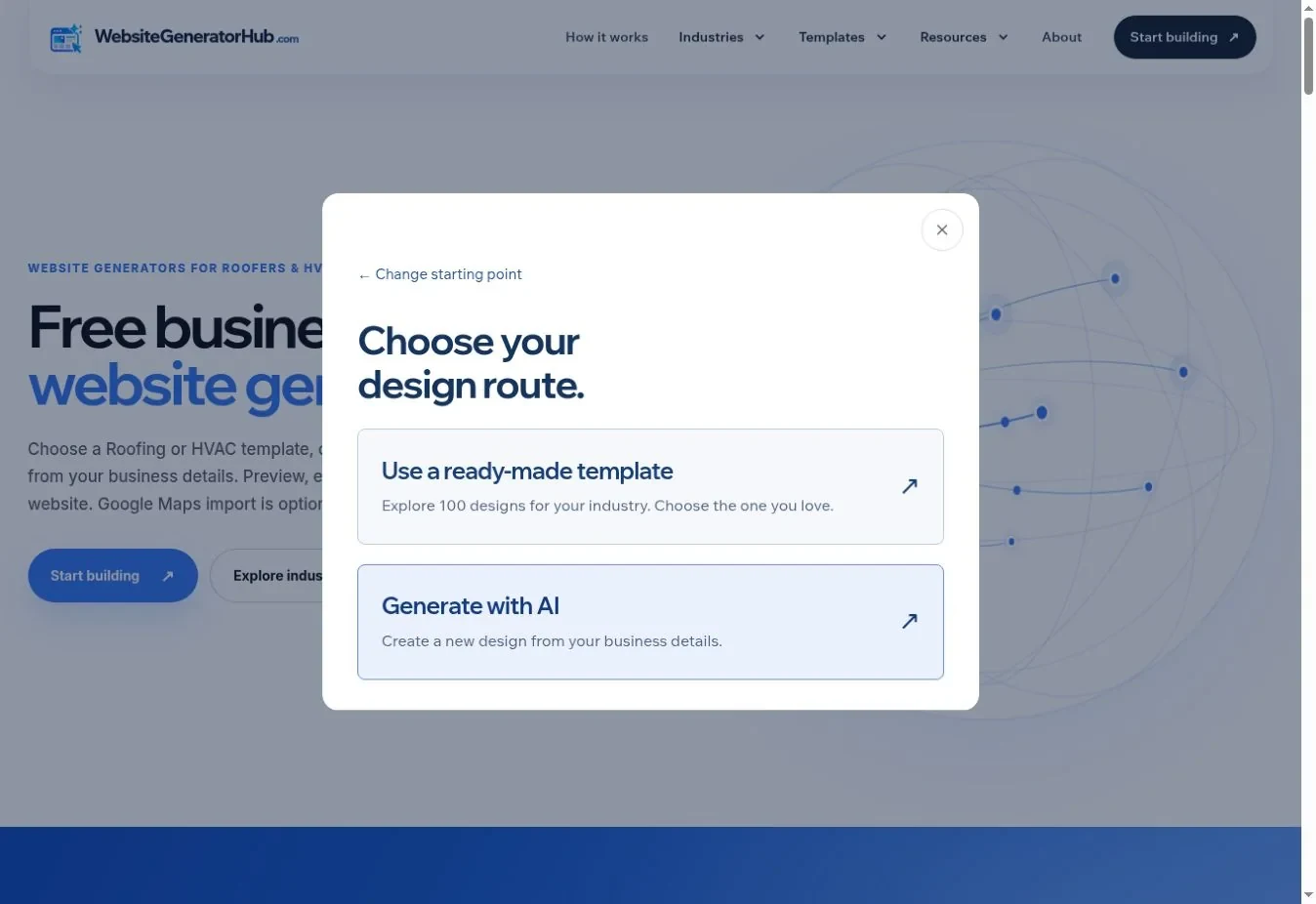
Choose a ready-made template if you want to see the layout before entering your business details. Choose an AI-generated website if you want a new starting design from your brief and can wait for processing. Both routes lead to a preview you can edit and download; neither removes the need to check your business facts.
What to remember
- Templates give you a known layout and unlimited use.
- AI generation creates a new starting design and uses the five-request allowance.
- Google Maps can supply available business details; it does not replace the design choice.
My recommendation: Choose a template for a predictable starting layout and unlimited template use. Choose generation when you want a new composition and are willing to review the result carefully.
- Templates give you a known layout and unlimited use.
- AI generation creates a new starting design and uses the five-request allowance.
- Google Maps can supply available business details; it does not replace the design choice.
- The better choice is the one that gets you to an accurate, usable website with manageable editing.
This is a guide to the two routes inside Website Generator Hub, rather than a claim that one approach always produces better design. If you are also considering a designer, read the broader AI, template and designer comparison.
What is different about the two routes?
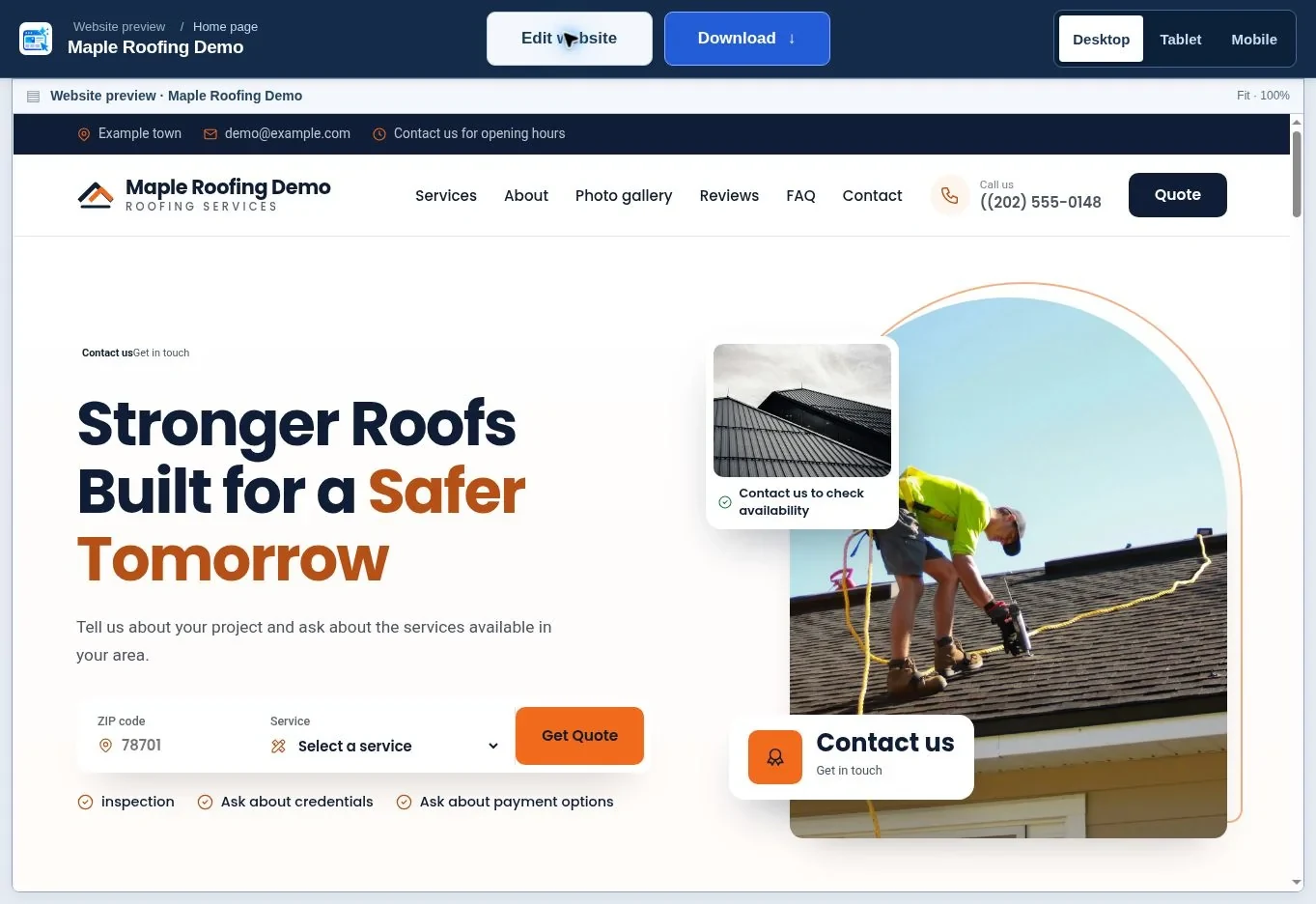
The main difference is when you see the composition. A template lets you inspect it before selection. A generated route creates the composition after you supply the brief, so the first full review comes later.
| Question | Ready-made template | AI-generated website |
|---|---|---|
| Can I inspect the layout before starting? | Yes, use the full preview | No, review the completed result |
| Does it use an AI request? | No | Yes, including regeneration |
| Can I change content afterwards? | Yes | Yes |
| Can the provider queue delay the design? | Template selection does not require generation | Generation can wait or retry |
| Is the design exclusive to my business? | No exclusivity is promised | No exclusivity is promised |
| Do hosting and form setup still matter? | Yes | Yes |
A new composition is not the same as a guaranteed unique brand identity. Your photographs, wording, useful project details and genuine customer evidence are what make the page recognizably yours.
Should mobile editing affect your choice?
Pew’s 2026 US adult data show 98% cellphone ownership and 91% smartphone ownership. Source: Pew Research Center Mobile Fact Sheet 2026.
Compare the template and generated draft at the same phone width before choosing. Look for the version whose heading, photo and contact action you can adjust most clearly.
What is included in the current template library?
WebsiteGeneratorHub currently has 100 roofing templates and 100 HVAC templates. Template editing and downloads are unlimited; the separate AI allowance is 5 requests, including regenerations. These are product limits, not survey findings. Choose a ready-made layout when you want to compare a known design before entering your details. Source: WebsiteGeneratorHub: FAQ.
When is a template the better starting point?
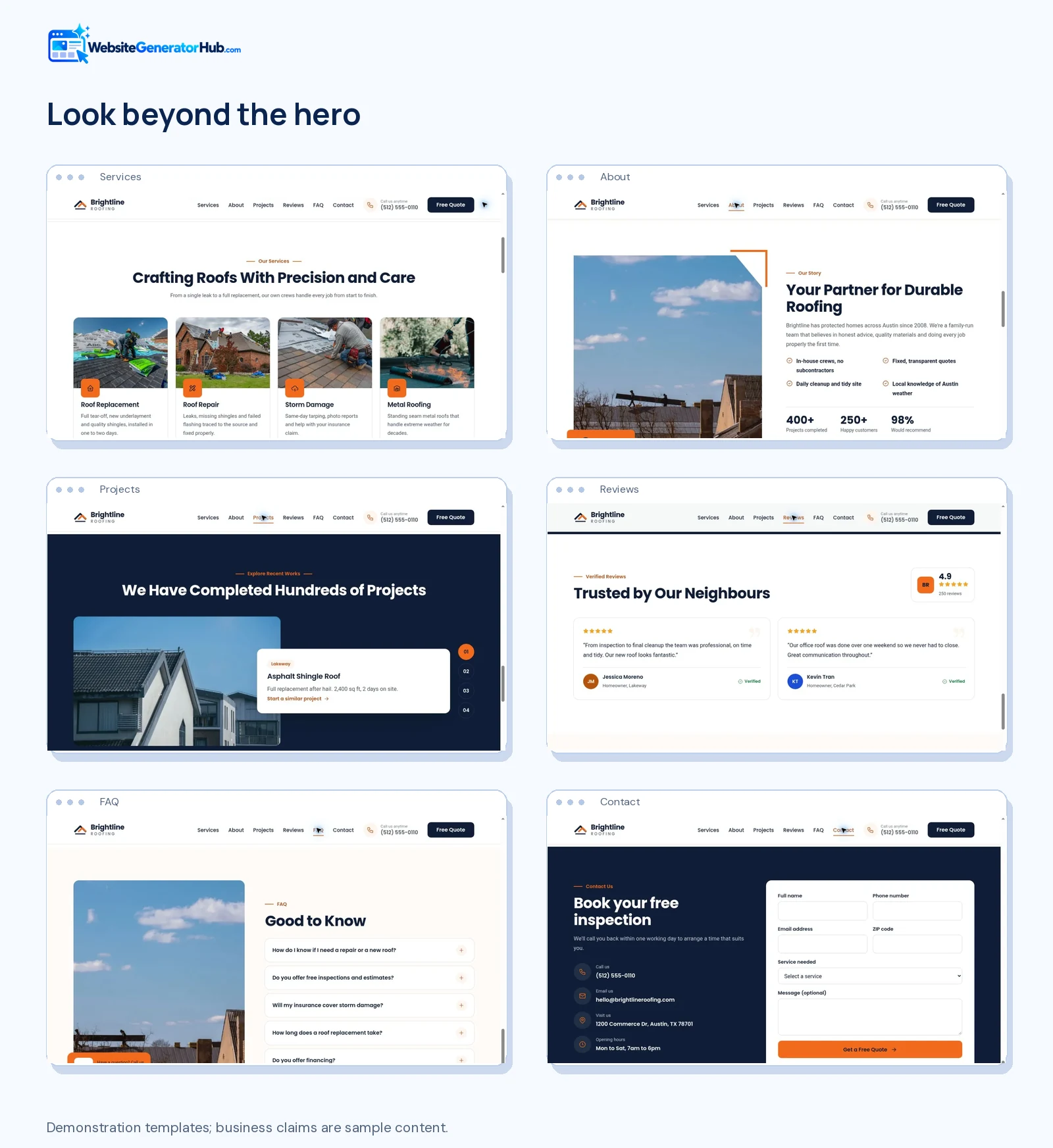
A template is the practical choice when you find a layout that already fits your services. You can compare its section order, image treatment and contact area before investing time in the content.
For a small roofing company with four useful project photographs, look for a layout that gives those projects room. For an HVAC business receiving urgent repair calls, inspect the phone action and service explanations on mobile. A dramatic first screen is less valuable if the rest of the page hides the information people need.
Open several full previews, narrow the choice to two, then compare the complete pages. Ask which one will require fewer unnecessary sections to be removed. A layout containing a team grid is not automatically a better choice if you have no suitable team information to publish.
Browse the roofing templates or HVAC templates. Each current catalog contains 100 designs. You can change colors and content later without treating every small preference as a reason to start again.
When is generation worth trying?
Generation is worth trying when your brief describes a clear business and you want a fresh arrangement of its content. Supply specific services, a useful description and your own photographs where possible. A brief that says only “make a premium website” leaves much of the important work unspecified.
For example, a brief might explain that a roofing company mainly repairs slate and tile roofs, offers scheduled surveys, and has three documented restoration projects. Those details are more useful than asking for a “modern professional design.” Only include facts that apply to the business.
The result still needs an editorial review. Check whether the page has introduced services you do not offer, repeated generic claims, used the wrong image context or made a phone number hard to read. Use the editor for targeted corrections. Request a new design only when the overall composition is unsuitable.
The current allowance is five AI requests shared across Roofing and HVAC, including regenerations. Failed generations are returned to the allowance. Provider capacity can affect timing, so a ready-made template is a useful alternative when a deadline matters.
How can you compare the routes fairly?
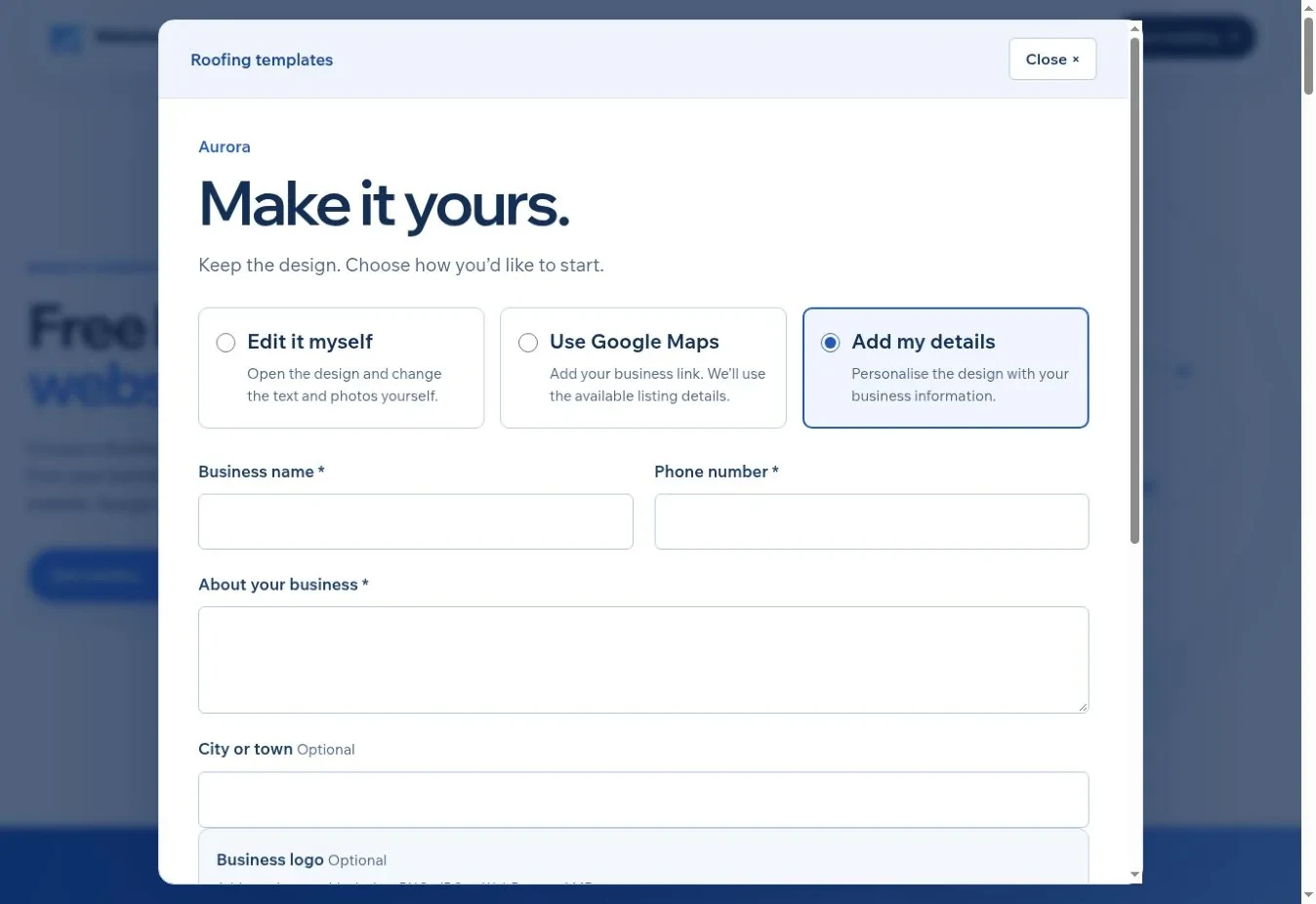
Compare the same business requirements, not a finished template against an unfinished first draft. Use the same genuine contact details, service list and photographs when assessing both options. The example below is a comparison worksheet, not the result of a timed product test.
- Write down the main inquiry you want: an inspection request, repair call or installation quote.
- List the services and claims that must appear accurately.
- Prepare the same logo and photographs for each route.
- Check each result on mobile before changing it.
- Record the edits required to make it publishable.
- Choose the page that communicates the business clearly and is realistic to maintain.
A useful comparison note is “phone action visible without scrolling; two service descriptions need correcting.” “Looks more premium” is too vague to guide the next edit. Record concrete differences such as image crops, readable text, service detail and the route to a quote.
Open the roofing website generator or HVAC website generator to use either route. Our creation walkthrough explains the form and preview steps.
What stays the same after you have a preview?
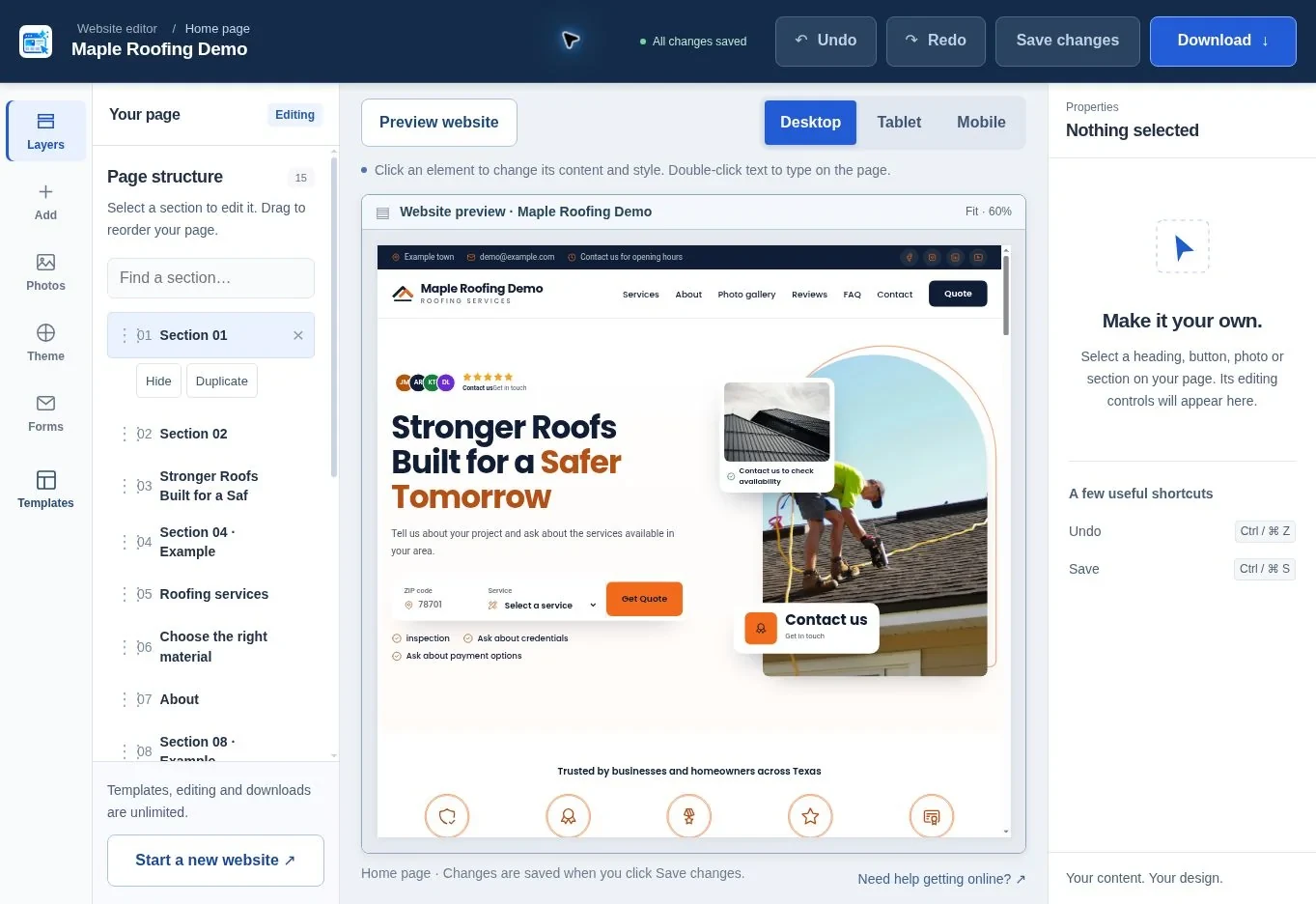
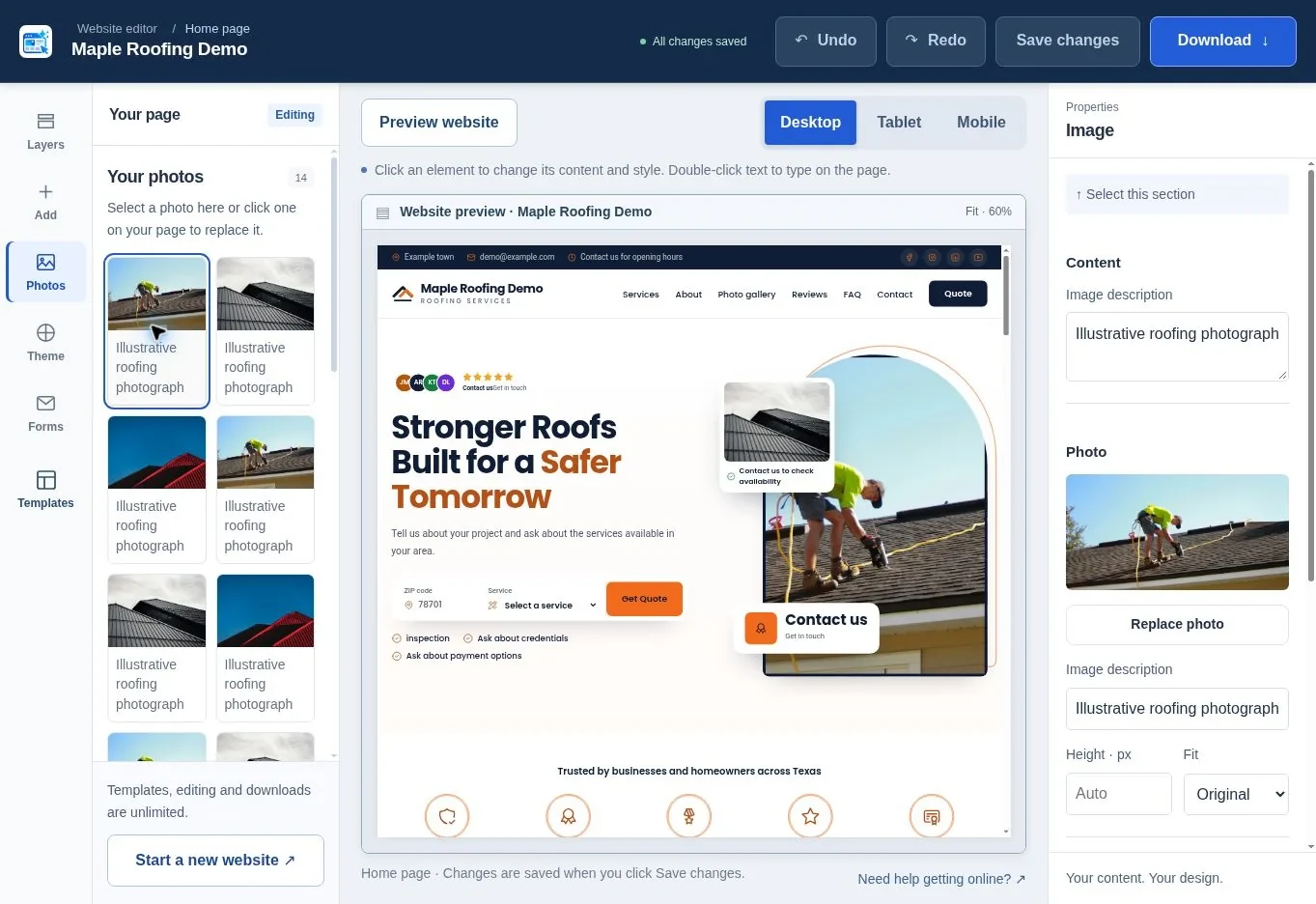
Both routes need the same final checks. Confirm the words, photographs, business claims and contact actions; save changes; then review Desktop, Tablet and Mobile. The editing guide explains the controls.
Check the inquiry email under Forms separately from the address printed on the page. Remove demonstration reviews or credentials that do not belong to your company. If you imported listing data, check the correct branch, opening hours and review attribution.
Both routes can produce downloadable files. A download does not include an automatically published website on your own domain. The included inquiry endpoint needs compatible PHP hosting, working outgoing email and the required security settings. Use the publishing guide before deciding that a page is ready for customers.
How do you avoid spending all day choosing?
Set a short decision process before you browse. Select two or three layouts, compare their fit and choose one. Spend the remaining time improving the information inside it. This is an editorial recommendation, not a measured time-saving claim.
If you keep rejecting every design, the missing decision may be about your content. Decide which service matters most, which photograph belongs in the hero and what a customer should do next. Those decisions improve a template and a generated result alike.
A custom website becomes more appropriate when you need extra pages, a booking integration, an application, ecommerce or a different information structure. That is a different scope from changing the appearance of a one-page website. You can request a new custom website when the requirements exceed the current starting routes.
Which route should you start with today?
If you can point to a template and say “that layout suits our work,” start there. If you have a clear brief and want a new starting composition, try generation. In either case, judge the saved website by accuracy, readability and how easily a customer can contact you. Choose your industry to begin.
Frequently asked questions
Can I use Google Maps with a template?
The setup flow can use available Google Maps listing information with the template route where import is enabled. You still need to supply a business email and inspect the result. Maps is a source of business details; the template determines the starting layout and its visual composition.
Will a template make my website look identical to another business?
The underlying layout can be shared, because no template exclusivity is promised. Your own logo, color choices, photographs, service descriptions and project details make the page more specific. Avoid publishing untouched demonstration content; that is a bigger source of sameness than a familiar arrangement of sections.
Can I edit a generated design without generating again?
Yes. Use the editor to change content, photographs, colors and supported layout elements, then save. Those edits do not use another AI request. Regeneration is for requesting another design, so reserve it for a composition you do not want to continue with rather than a small wording problem.
What happens after all five AI requests are used?
You can continue editing and downloading saved websites, and ready-made templates remain available without a template limit. You do not need another AI request to correct a telephone number, replace a photograph or choose a template. A custom website request is a separate option for different requirements.
Is a generated website automatically better for search?
No. The creation method does not establish useful content, accurate local information or a good customer experience on its own. Review the page, publish it properly and improve the information that helps customers choose. Neither route comes with a guarantee of Google rankings, AI mentions, leads or revenue.
Should I buy launch help before choosing the design?
Choose and review the website first so the launch service has a clear saved design to publish. Read the package scope and current terms before paying. Launch help covers the agreed setup; a new design, additional pages or custom features require a separately agreed scope and price.
Sources & further reading
Sources checked .
- Website Generator Hub FAQ (opens in a new tab)websitegeneratorhub.com
- Website Generator Hub terms (opens in a new tab)websitegeneratorhub.com
- Google SEO Starter Guide (opens in a new tab)developers.google.com
- Pew Research Center Mobile Fact Sheet 2026 (opens in a new tab)www.pewresearch.org