Website guidesProduct guides
How to get your new website found on Google and AI
Get your new website found on Google with a practical 30-day plan. Check indexing, update your Business Profile and build useful content for customers.


The short answer
How to get your new website found on Google and AI
To get a new website found on Google, publish it on a working domain, make sure search engines can access the important pages, verify Search Console and check indexing. Then improve your business information, useful content and genuine reputation. These basics also support Google’s AI search features; no setup guarantees a ranking or recommendation.
What to remember
- Confirm that the live website works before submitting it to search tools.
- Separate indexing problems from weak rankings and from Google Maps visibility.
- Keep business details consistent across the website and the correct Business Profile.
My recommendation: Start with a crawlable public URL, an accurate sitemap and useful business content. Confirm indexing in Search Console, then monitor the searches and inquiries that matter to your business.
- Confirm that the live website works before submitting it to search tools.
- Separate indexing problems from weak rankings and from Google Maps visibility.
- Keep business details consistent across the website and the correct Business Profile.
- Measure inquiries and useful search traffic, not just whether one AI answer mentions you.
This 30-day plan is for a recently launched business website. If you still have downloaded files or a temporary preview, first follow our publishing guide. Search setup belongs on your permanent live address.
What should you check in the first two days?
Check that customers and search engines can reach the final website. Open it outside your editor on a phone and computer, confirm HTTPS and test a real inquiry. Ask your developer to remove any accidental launch-blocking noindex setting and check that the preferred address is used consistently.
Check the page title, description and visible business name. A roofing page should say which roofing work the business provides and where it operates, not retain a demonstration company or location. An HVAC page should distinguish heating, cooling and ventilation services accurately.
Make important information readable as text, not only inside photographs. Add useful image descriptions and fix navigation links that lead nowhere. Google's SEO Starter Guide is a useful reference for the basics, including understandable titles, content and links.
Do not submit your private editing address or a temporary hosted preview as the business's main website. Those links serve different purposes and are not substitutes for your own domain.
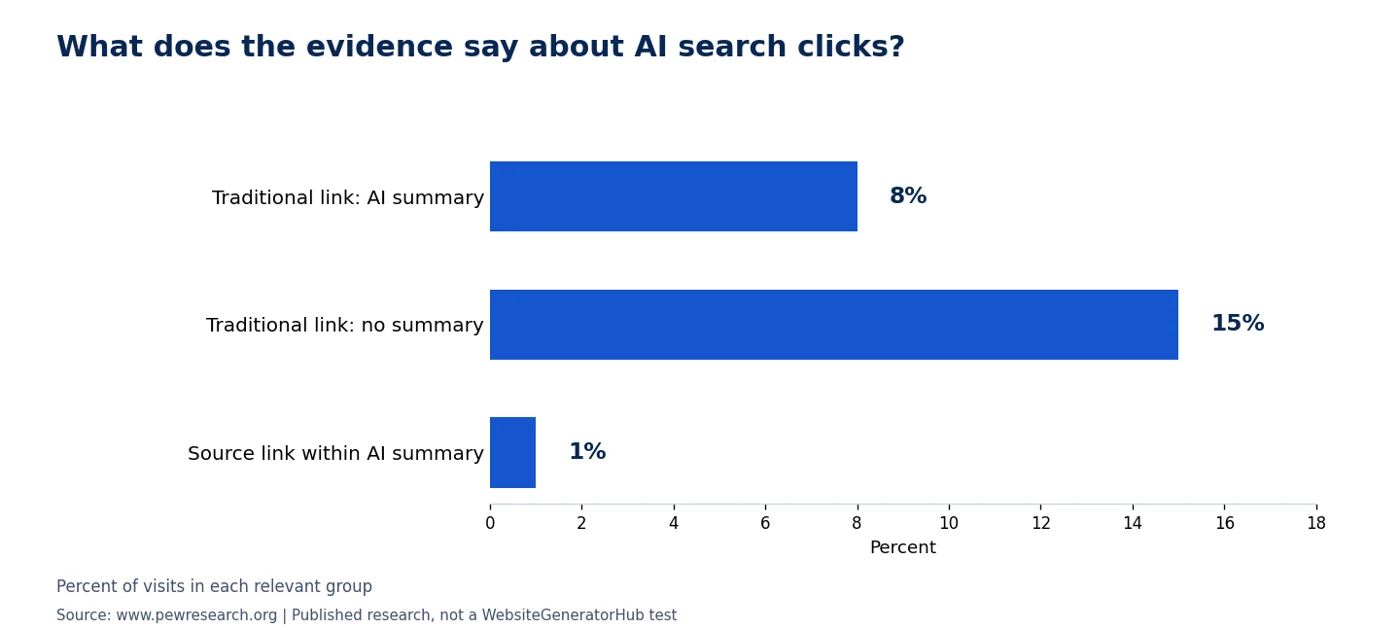
What does the evidence say about AI search clicks?
Pew’s March 2025 browsing study of 900 US adults observed traditional-result clicks on 8% of Google visits with an AI summary, versus 15% without one. Summary-source clicks occurred on 1% of visits with a summary. This observational study does not establish what caused the difference or predict your business’s traffic. Source: Pew Research Center: Google AI summaries and clicks.
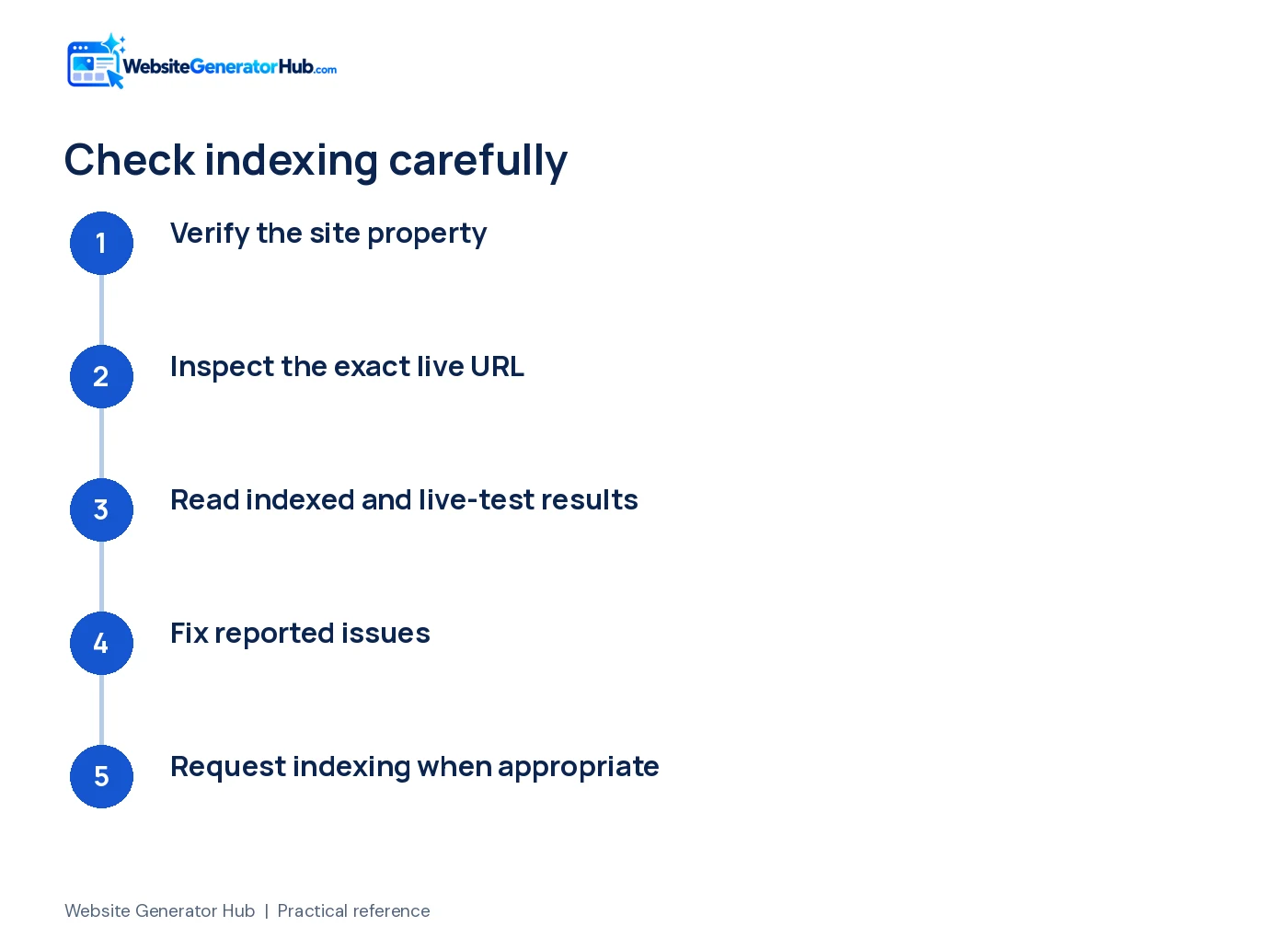
How do you check whether Google can index the page?
Verify the site in Google Search Console and use URL Inspection on the exact live URL. Search Console is free and helps diagnose how Google sees your site; signing up is not a prerequisite for inclusion in search.
- Add the correct site property and complete the verification method offered.
- Inspect the full homepage URL, including
https://. - Read the indexing result and use the live test if you changed the page recently.
- Fix a reported access or indexing issue before requesting indexing.
- Request indexing for the corrected important page when appropriate.
The URL Inspection documentation distinguishes the indexed version from a live test. A successful live test does not promise that Google will index or rank the page. Repeatedly pressing the request button is not a substitute for resolving the reported problem.
If a sitemap is available, open its URL yourself and submit it in Search Console. It should list final, intended website URLs rather than preview links or error pages. Google's sitemap guidance explains that submission is a hint, not a guarantee of crawling or inclusion.
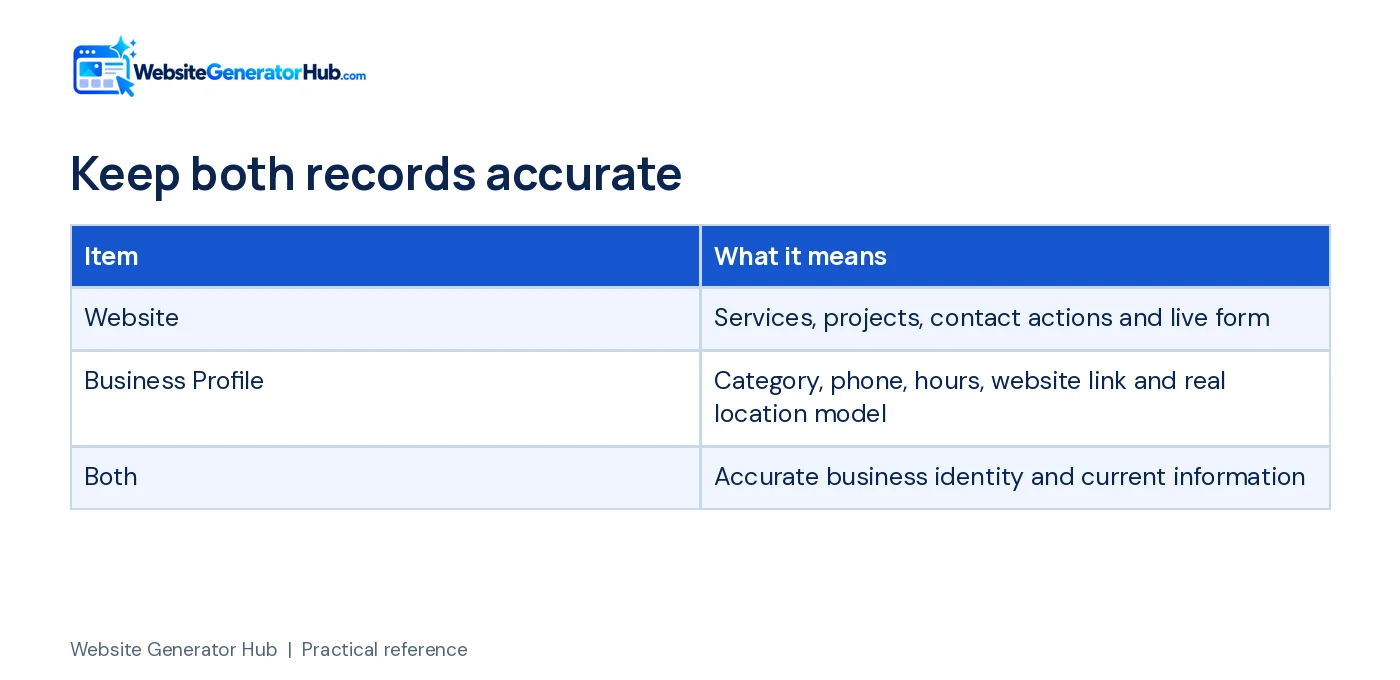
What should you do about Google Maps?
Use the correct Google Business Profile for the business and keep it complete and accurate. Verify it through Google's process where required, add the live website link, and check the phone, hours, category and business description.
Google says local results consider how well a business matches the search, how far it is from the searcher and how well known it is. There is no payment that purchases a better organic local ranking. See Google's local ranking guidance.
If you visit customers and do not serve them at your own address, follow Google's service-area business rules. Do not present a home, virtual location or unstaffed address as a walk-in shop merely to appear in another town.
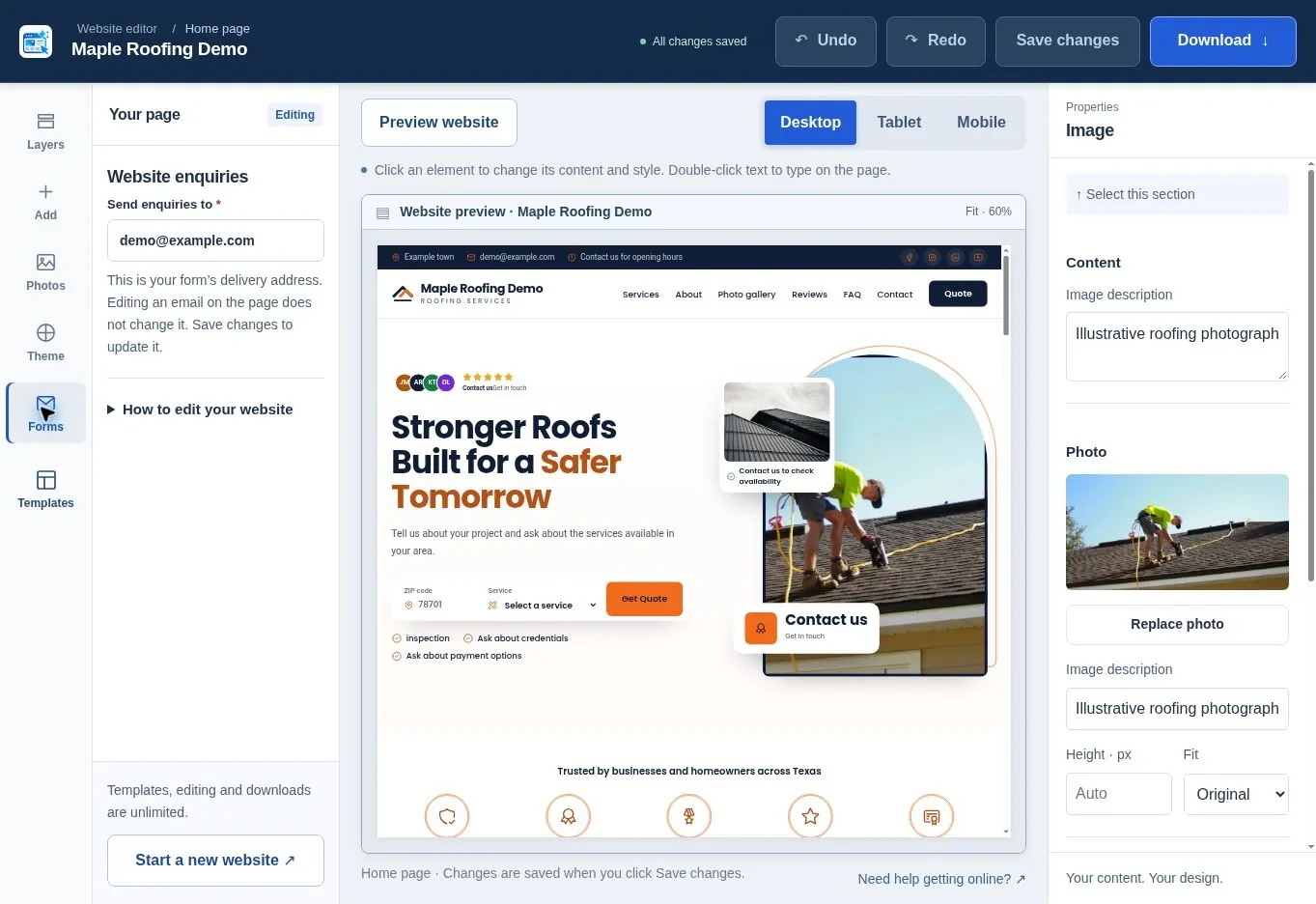
Website Generator Hub's Maps import and Google Business Profile management are different tasks. Importing available listing information helps fill a website; it does not verify the profile, repair its ownership or automatically update Google when you edit the website. Recheck both places after a phone number or hours change.
How should you use the first 30 days?
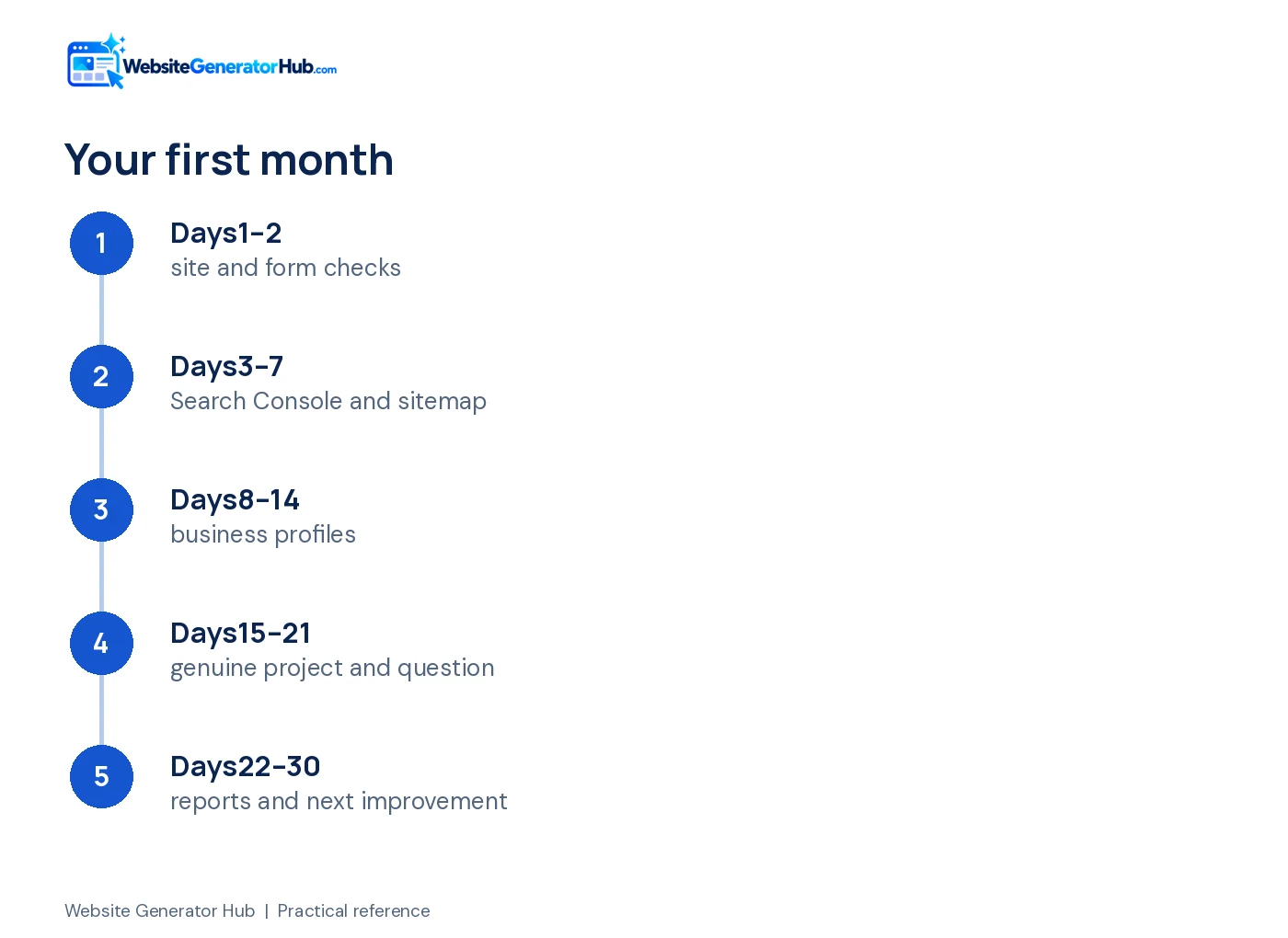
Work on access and accuracy first, then build useful evidence and review the early signals. The schedule below is a practical sequence, not a promise that a new site will rank within 30 days.
| When | Main task | Evidence to keep |
|---|---|---|
| Days 1–2 | Test the live site, phone links, form and mobile layout | Test inquiry and list of fixes |
| Days 3–7 | Verify Search Console, inspect key URLs and check sitemap | Indexing status and any error details |
| Days 8–14 | Correct Business Profile and relevant directory details | List of profiles updated |
| Days 15–21 | Add a genuine project example and answer a customer question | Photos, permissions and factual notes |
| Days 22–30 | Review search reports and inquiries; choose the next improvement | Query, page and inquiry notes |
For reviews, ask customers about a genuine completed experience and give them the same straightforward way to respond. Google's review guidance allows asking through a link or QR code, but prohibits incentives in exchange for posting, changing or removing reviews.
Do not manufacture a testimonial to fill a new page. You can explain your process, show authorized work and make contact details clear while genuine customer evidence grows. Our Google reviews guide covers the request and response process.
If you have not created your website yet, begin with the roofing generator or HVAC generator, then use the creation walkthrough.
What helps a website appear in AI search?
For Google's AI features, the foundation is still an accessible, useful website. Google says supporting pages must be indexed and eligible for a search snippet, with no additional technical requirement or special schema needed for AI Overviews or AI Mode.
Write answers that help a customer make a real decision. Explain what an inspection involves, which systems you service or what happens after a quote request. Add your own project details and accurate qualifications rather than copying a generic answer found on many other websites.
Google's current AI optimization guidance specifically rejects the idea that an llms.txt file, forced short content chunks or inauthentic mentions are required for Google visibility. That does not mean every other AI service works identically. Avoid turning one company's documentation into a promise about all AI answers.
Use the AI visibility article for a wider discussion. Treat repeated manual searches as observations: record the date, question and cited sources. One answer is not a stable ranking report or proof that your site will be recommended to every customer.
What should you measure before spending more on marketing?
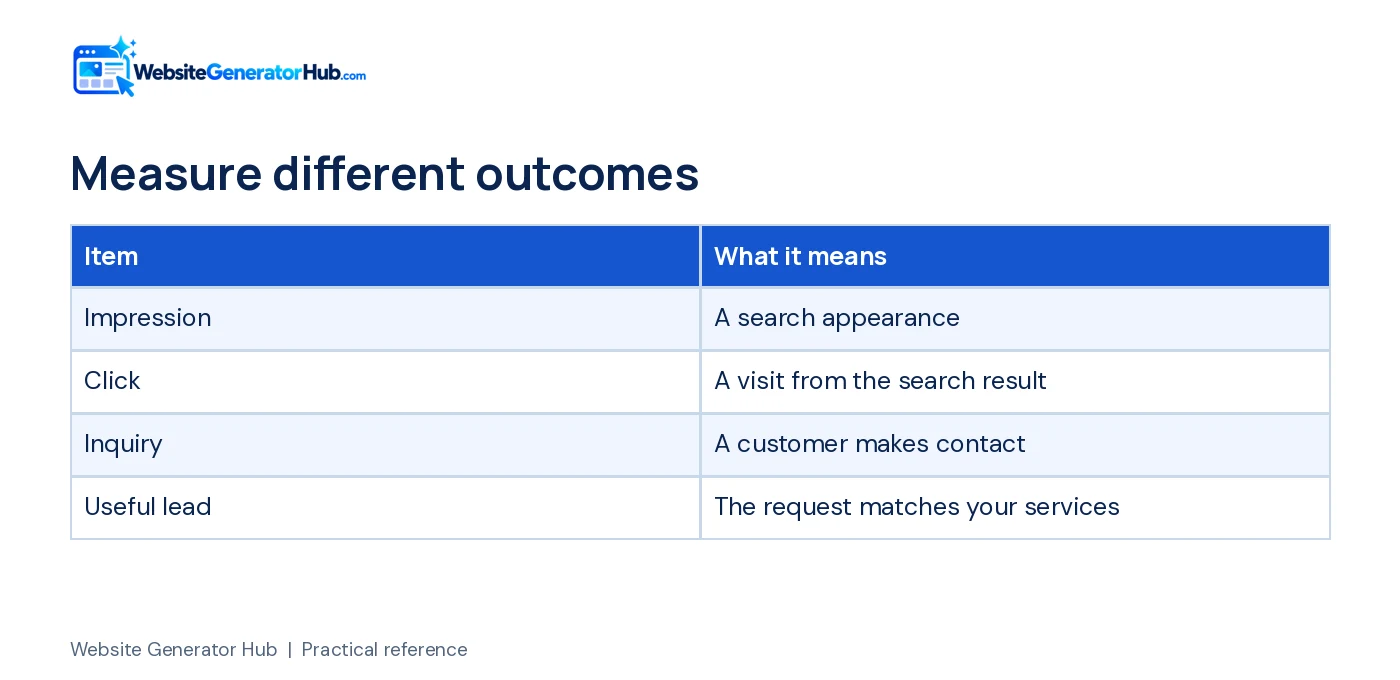
Measure whether the site is being found for relevant searches and whether visitors can contact you. Search impressions, clicks and inquiries answer different questions. A page can receive impressions without clicks, and clicks without suitable leads.
Keep a simple log of inquiries: the service requested, whether it matches your work and how the customer found you when they volunteer that information. Do not paste private customer messages into public reports or screenshots. Use analytics and consent settings appropriate to the way you operate the website.
Review Search Console's available performance reports, including the Generative AI report described in Google's current documentation. Look for meaningful patterns across a period, rather than reacting to one day's position changes. If the page is not indexed, solve that before buying more content or changing its colors again.
Get professional help when you have unresolved technical errors, an important site migration, multiple locations or a content requirement beyond the current one-page site. A custom website inquiry should describe that requirement clearly. Ask for a specific scope and measurement plan rather than a guaranteed ranking.
What is the next useful step?
Open your live homepage, verify one inquiry and inspect the URL in Search Console. Write down the first real issue you find and fix that. Once the basics work, publish a useful project example or answer a question your customers actually ask. That gives the website substance beyond its launch day.
Frequently asked questions
Why does Search Console say the URL has no enhancements?
That message is not, by itself, proof that the page lacks structured data or cannot rank. Search Console reports supported search features, not every schema type. Check indexing separately, then validate any relevant markup against current documentation. Do not add irrelevant schema just to make an enhancement report appear.
Do I need FAQ schema to rank or appear in AI answers?
No. Useful visible FAQs can still help customers, but they do not guarantee a search treatment. Google's documentation states that FAQ rich results stopped appearing from May 7, 2026. Its AI guidance also says special schema is not required for AI features; accurate content and accessible pages remain the priority.
Should I request indexing every day?
No. Fix a real problem, inspect the updated page and use the request when appropriate. Google limits requests and does not guarantee inclusion after submission. Keep a note of the change and review status later instead of submitting the same unchanged page repeatedly or paying for promises of instant indexing.
Can I show my home address if I travel to customers?
Follow the rules for your actual business model. Google says a service-area business that does not serve customers at its address should remove that address from its Business Profile. Be equally careful about personal information on the website. Do not create a fictional customer-facing office to target another area.
Will adding more town names make the website rank everywhere?
No. A list of places does not prove that the business is relevant or nearby for every searcher. Describe where you genuinely work and add useful, distinct local information where it helps customers. Avoid copied pages that change only the town name while saying nothing specific about the work.
How long should I wait before judging the website?
There is no reliable universal deadline. First check that the site is accessible and indexed, then watch relevant queries and inquiries over time. Competition, the business's reputation and the usefulness of its information affect results. A 30-day plan gives you a working routine, not a guaranteed ranking date.
Sources & further reading
Sources checked .
- About Google Search Console (opens in a new tab)support.google.com
- URL Inspection tool (opens in a new tab)support.google.com
- Build and submit a sitemap (opens in a new tab)developers.google.com
- Google SEO Starter Guide (opens in a new tab)developers.google.com
- Improve local ranking (opens in a new tab)support.google.com
- Service-area business guidance (opens in a new tab)support.google.com
- Tips to get more reviews (opens in a new tab)support.google.com
- AI features and your website (opens in a new tab)developers.google.com
- Google AI optimization guide (opens in a new tab)developers.google.com
- Google Search documentation updates (opens in a new tab)developers.google.com
- Search Central community indexing question (opens in a new tab)support.google.com
- Pew Research Center: Google AI summaries and clicks (opens in a new tab)www.pewresearch.org