Website guidesProduct guides
How to create your free Website Generator Hub website
Create a free roofing or HVAC website with Website Generator Hub. Follow the steps to choose a design, add details, edit your page and download the files.

The short answer
How to create your free Website Generator Hub website
Website Generator Hub is a free website generator for roofing and HVAC businesses. Choose a template or request a generated design, add business details, then preview, edit and download the files. A download does not put the website on your own domain: hosting and launch help are separate choices.
What to remember
- Roofing and HVAC each have 100 ready-made templates.
- Template use, editing and downloads are unlimited. The separate AI allowance is five requests, including regenerations.
- You can enter your details or use available information from one Google Maps business listing.
My recommendation: Start with a ready-made template when you already like its layout. Add your business details, review the whole page, edit what needs changing and download only after saving.
- Roofing and HVAC each have 100 ready-made templates.
- Template use, editing and downloads are unlimited. The separate AI allowance is five requests, including regenerations.
- You can enter your details or use available information from one Google Maps business listing.
- Check the finished content and save your changes before downloading.
This walkthrough follows the current Website Generator Hub interface. Have your business email, phone number and a short explanation of your services ready. A logo and photographs help, but you can begin without them.
What should you prepare before starting?
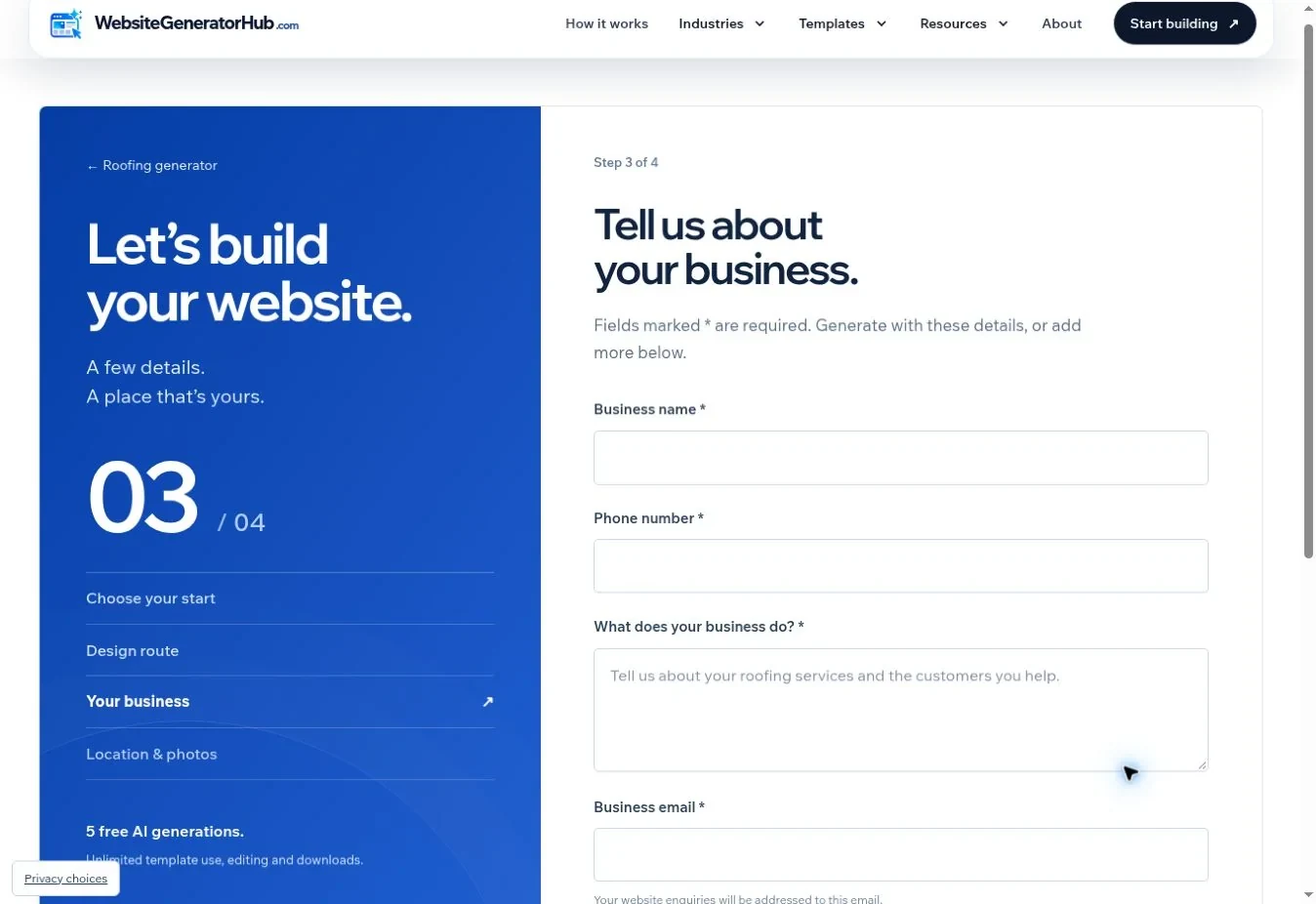
Prepare the information a customer needs to decide whether to contact you. The manual route asks for a business name, phone number, business email and a short description. Required fields carry an asterisk.
Write the description as if answering a customer on the phone. An example for a roofing business is: “We repair and replace pitched roofs for homeowners in Austin. Our work includes shingle repairs, storm-damage repairs and gutter replacement. Contact us to arrange a roof inspection.” Use that structure only for services and locations that apply to you.
The optional location-and-photos step accepts your business address, a logo and project photographs. The current upload limits are 4 MB for a logo and up to six photographs at 8 MB each. PNG, JPG and WebP files are accepted. Use a clear logo with enough space around the mark, and choose photographs that show different jobs rather than six versions of the same view.
Which details should you gather first?
BrightLocal’s 2025 US survey: 85% valued contact details/hours; 67% often or always checked reviews after local searches. Source: BrightLocal Consumer Search Behavior 2025.
Have the phone number, hours and any genuine reviews ready before starting. That gives the first draft useful business information instead of decorative filler.
What is included in the current template library?
WebsiteGeneratorHub currently has 100 roofing templates and 100 HVAC templates. Template editing and downloads are unlimited; the separate AI allowance is 5 requests, including regenerations. These are product limits, not survey findings. Choose a ready-made layout when you want to compare a known design before entering your details. Source: WebsiteGeneratorHub: FAQ.
How do you choose your industry and starting point?
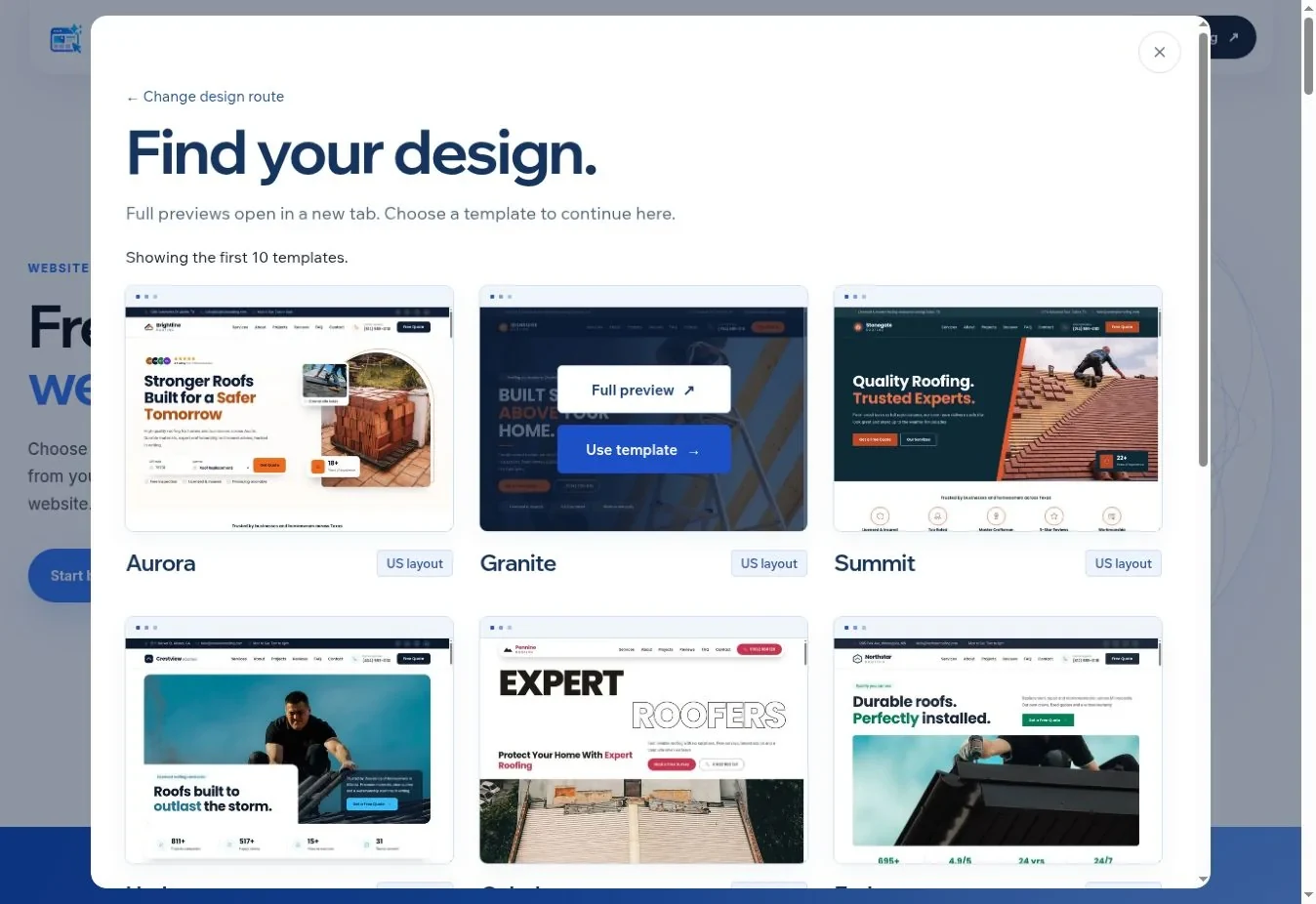
Select Start building, choose Roofing or HVAC, then continue. Next, choose whether to add your details or start with a Google Maps link. You will also choose a ready-made template or a generated design.
- Choose the industry that matches your work.
- Select I’ll add my details or Google Maps link where available.
- Choose Use a ready-made template or Generate with AI.
- Follow the fields shown for that route.
Roofing and HVAC are the available dedicated industries. A plumbing, cleaning or salon generator is not currently listed as an available product. Do not choose an unrelated industry just to reach the next screen: its services and suggested sections will be wrong for your business.
Should you pick a template or request a generated design?
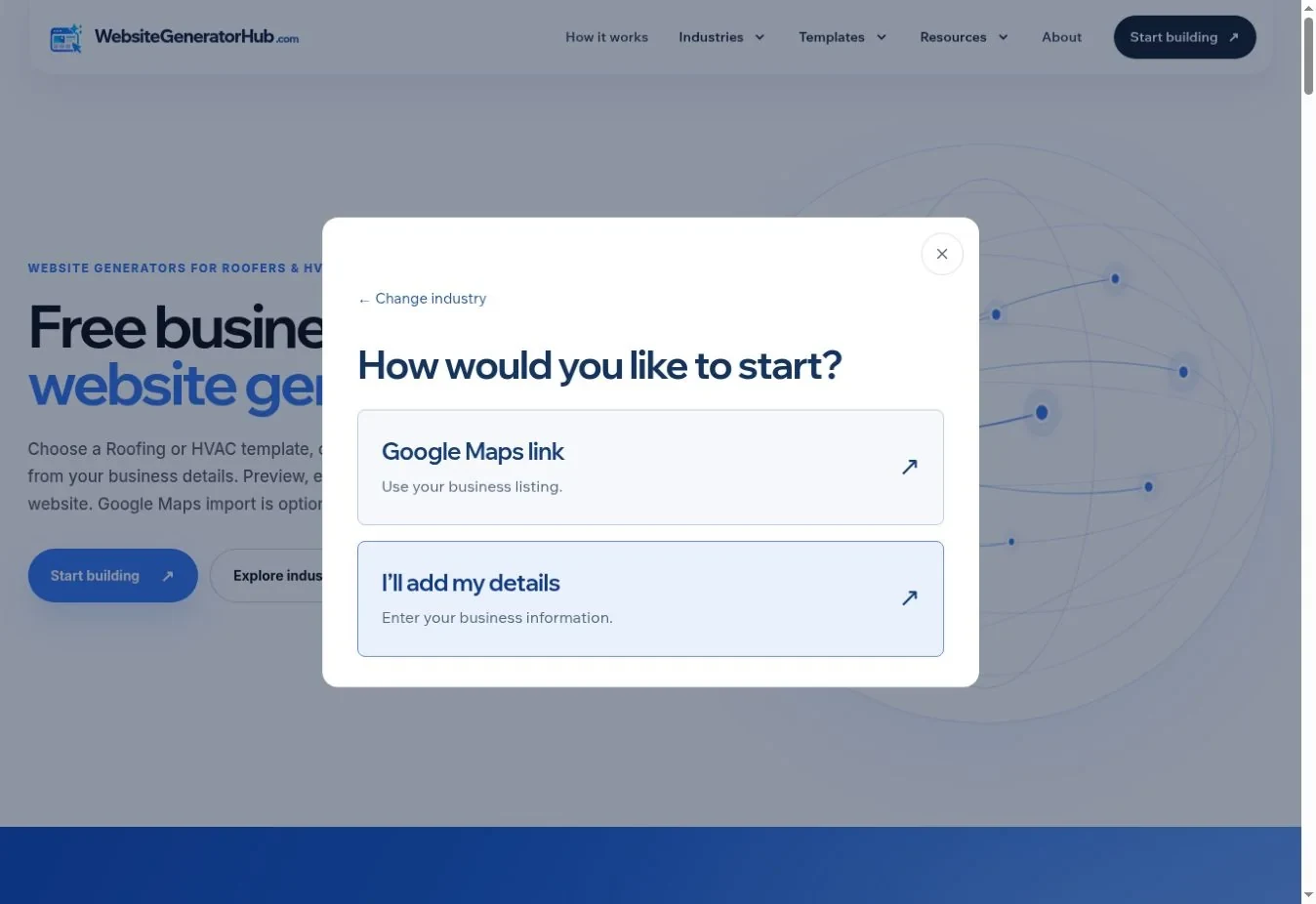
Choose a template when you want to inspect the layout before using it. Choose generation when you want a new composition from your business brief and can allow time for the request to complete.
| Starting route | What you choose first | Allowance | What happens next |
|---|---|---|---|
| Ready-made template | An existing design for your industry | Unlimited template use | Add details, review the page and edit |
| Generated design | Your business brief | Five AI requests, including regenerations | Wait for processing, then preview and edit |
| Google Maps details | One specific business listing | Depends on the chosen design route | Available listing information fills the website |
Maps is an information source, not a third design style. You can use listing information with the route offered in the setup flow. If you already know which layout you want, start from the roofing template gallery or HVAC template gallery.
Full template previews open separately so you can inspect the whole page. Choose Use this template to continue with that design. Review the hero, services, contact section and mobile composition, rather than choosing only by the first photograph.
What happens when you use a Google Maps link?
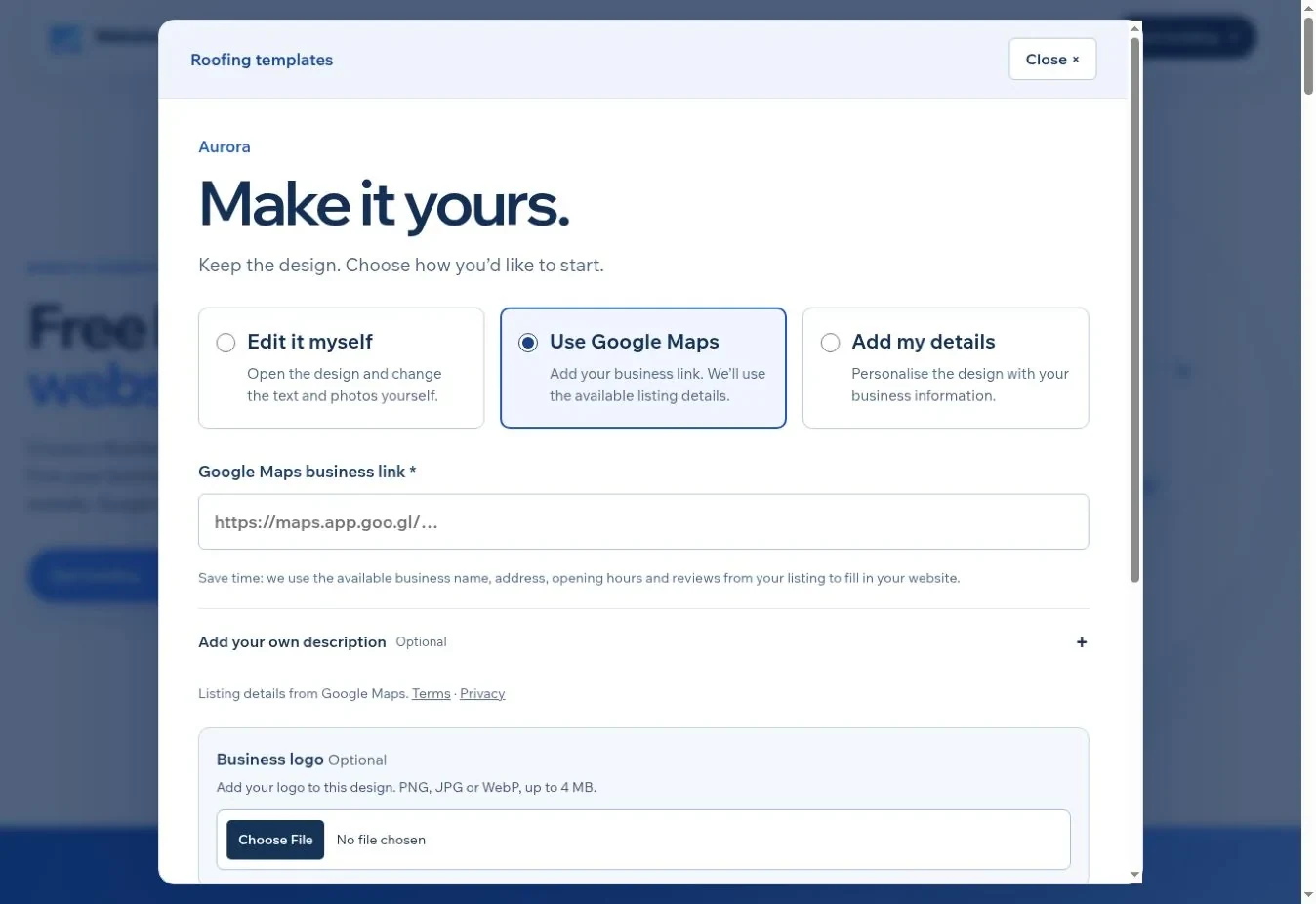
The builder imports available information from an individual business listing and still asks for a business email. Open your listing in Google Maps, choose its sharing option and copy that link. A search result list or directions route can match the wrong place or fail to identify one business.
Available information can include the name, telephone number, address, hours, a listing summary and up to five supplied reviews with attribution. It is not a complete copy of the Google Maps app. Photos and a full services list are not imported, and a logo upload remains useful. The description field on this route is optional if you want to supply your own wording.
Check imported details against the business itself. An old holiday schedule or a review for another branch should not become website copy merely because it was returned by a lookup. If Maps import is unavailable, use manual entry and continue.
How do you create the website and review the result?
Submit the completed form and security check, then keep the project link. A template starts from the chosen layout. An AI request may take longer because provider availability and quality checks affect completion.
The progress page reports the current stage and any automatic retry. Closing the tab does not cancel a saved request; return to its link in the same browser. If generation stops, the failed request is returned to the allowance. Ready-made templates remain an alternative when you need to move forward.
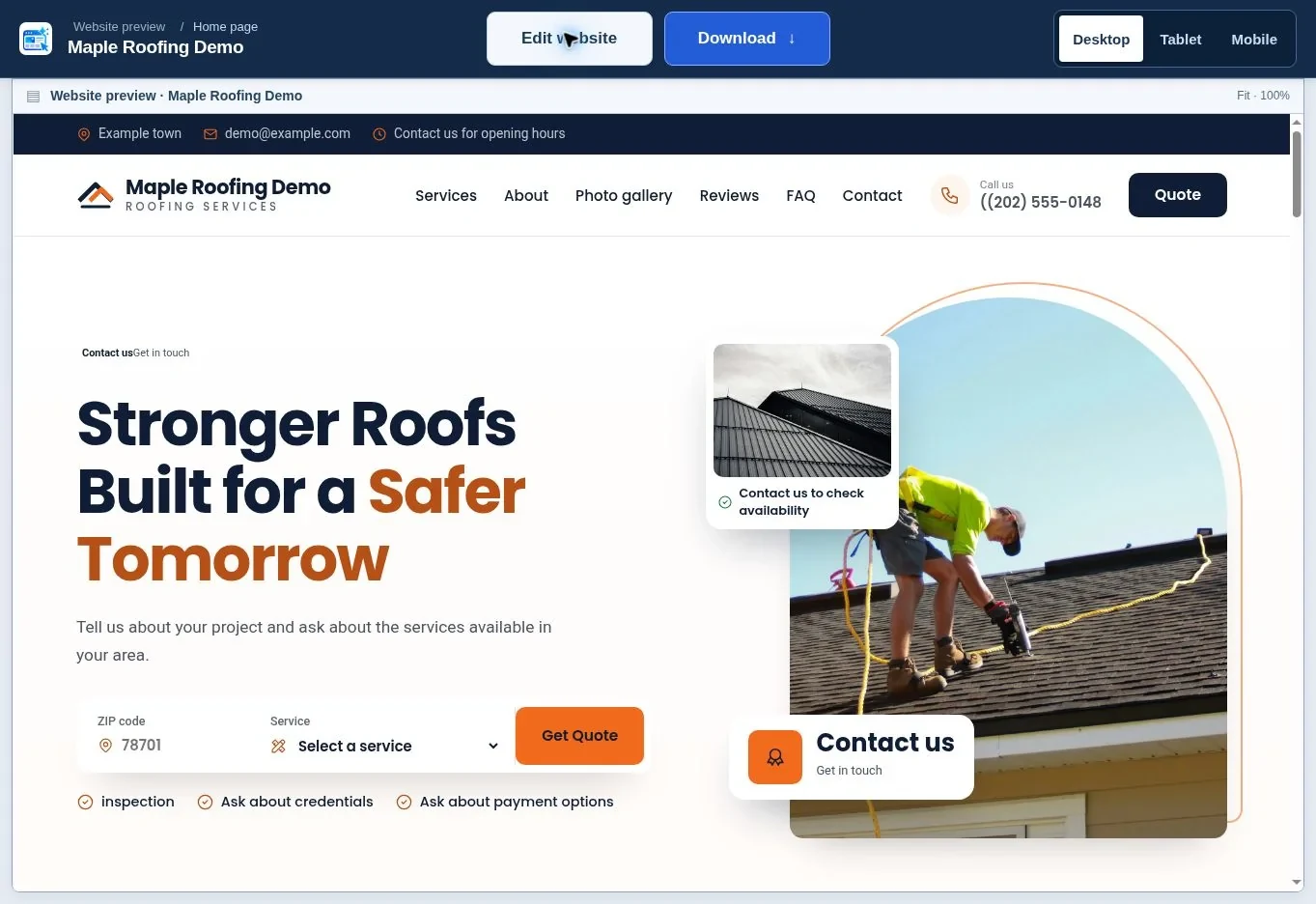
When the website is ready, open its preview before entering the editor. Read it in customer order: what does the business do, what evidence supports the claims, and how does someone inquire? Check the business name, phone number, email, opening hours, photographs and any reviews or credentials.
If you want to start now, open the roofing website generator or the HVAC website generator. You can compare the two starting methods in our template-or-generation guide.
How do you edit and download the finished page?
Choose Edit website if you need changes, then save before downloading. The editor provides text, photographs, colors, section order and form-destination controls. Our editing guide explains them in detail.
Use the Desktop, Tablet and Mobile preview controls. Look for headings that wrap awkwardly, cropped images, missing content and contact buttons that are difficult to read. Replace demonstration reviews, license details and project claims with genuine information, or remove them.
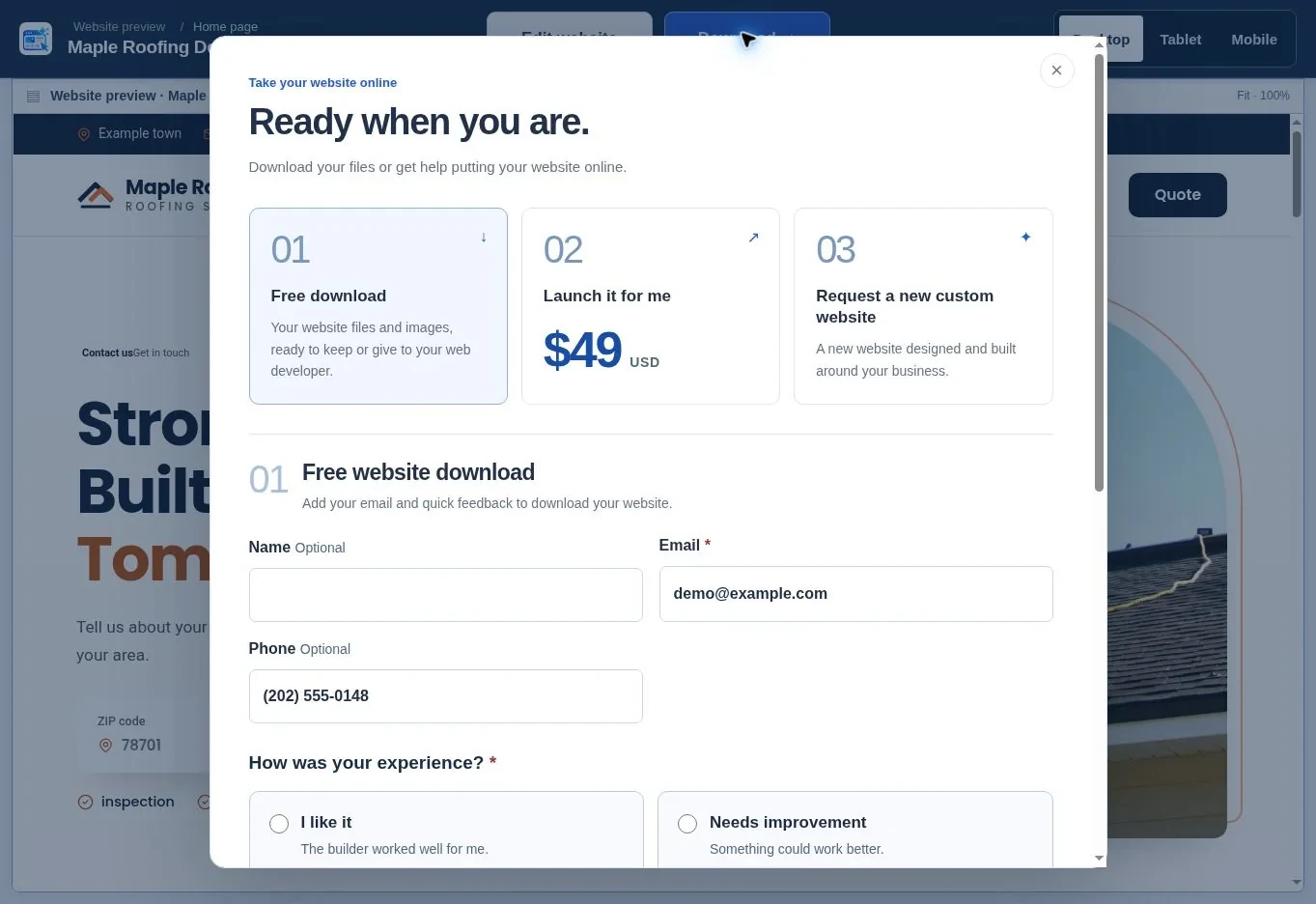
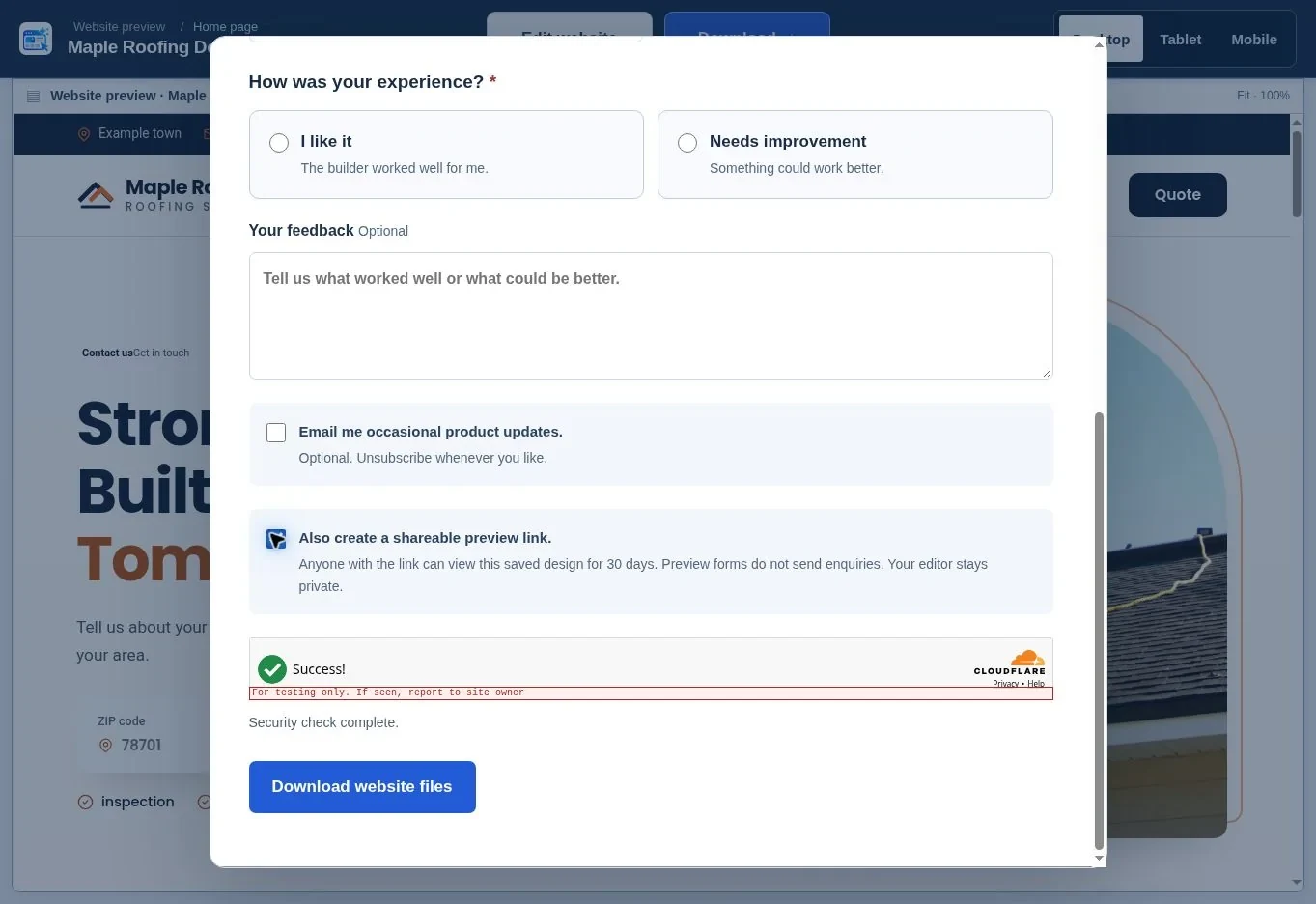
To download, select Download, then Free download. Email and the short experience response are required; name, phone, a written feedback message and marketing updates are optional. Complete the security check and choose Download website files. Buying launch help is not required.
When offered, Also create a shareable preview link gives you a temporary saved-design link, normally for 30 days. Anyone with that link can view it, but preview forms do not send inquiries. Keep the ZIP file as your own backup and follow the publishing guide when you are ready for a domain.
What should you do next?
Start with the route you can review most confidently. A template is useful when you want a known layout; generation is useful when you want a fresh starting point. Keep the facts accurate, check the mobile page and save a download. Open your industry generator when your business details are ready.
Frequently asked questions
Do I need a customer account?
No public customer account is required for the current creation, editing or download flow. Keep your project link and return in the same browser. A link to a private editor is different from a shareable preview link; use the dedicated preview option when someone else needs to review the design.
Can I use the website for my business without buying launch help?
Yes. You can download the saved files and arrange suitable hosting yourself or give them to your developer. Free downloads keep the linked platform credit. Domain registration, hosting, email setup and any professional work you order are separate from using the free design and download tools.
Is the five-request allowance separate for each industry?
No. The current five AI requests are shared across Roofing and HVAC in your browser, and regenerations count. Failed requests are returned to the allowance. Editing, downloading and choosing ready-made templates do not use those requests, so reaching the allowance does not stop you working on saved designs.
Does changing the visible email change where inquiries go?
Not by itself. In the editor, open Forms and check Send inquiries to, then save. The address printed on the page and the delivery destination are separate settings. The published form also needs compatible hosting, outgoing email and form security configured before delivery can be tested.
Can I keep the reviews included in the demonstration?
Only if they accurately represent genuine reviews of your own business and you have the right to publish them. Template examples show how the design looks; they are not verified customer statements about you. Replace or remove them, and preserve the attribution supplied with imported Google reviews.
Will downloading make my site appear on Google?
No. Downloading saves website files; it does not publish them or submit them for indexing. First put the page on your own domain, connect HTTPS and test it. Then follow the first-month search guide to set up search tools and check discovery.
Sources & further reading
Sources checked .
- Website Generator Hub product FAQ (opens in a new tab)websitegeneratorhub.com
- Website Generator Hub terms (opens in a new tab)websitegeneratorhub.com
- BrightLocal Consumer Search Behavior 2025 (opens in a new tab)www.brightlocal.com