Website adviceBusiness website guides
How much does an HVAC website cost in 2026?
Plan your HVAC website cost around services, forms, booking and hosting. Compare free designs, paid help and recurring bills before you accept a quote.


The short answer
How much does an HVAC website cost in 2026?
An HVAC website can start with a free downloadable design, but the total cost depends on publishing, content and the way inquiries reach your office. A simple service page needs less work than live appointment scheduling or a maintenance-plan checkout. Compare the complete job and recurring costs before choosing a budget.
What to remember
- Budget separately for the website, hosting, domain and business software.
- An appointment request is different from a confirmed booking.
- Keep the site ready before your busiest heating or cooling season.
My recommendation: For an HVAC company taking phone and quote requests, choose a straightforward service website first. Pay for an integrated platform when customers genuinely need scheduling, memberships or online payments.
- Budget separately for the website, hosting, domain and business software.
- An appointment request is different from a confirmed booking.
- Keep the site ready before your busiest heating or cooling season.
- Pay for integrations only when they solve a real operational problem.
The expensive mistake is buying the wrong scope. A business that needs clear repair inquiries should not automatically pay for a custom scheduling system. A larger operation should not buy a basic contact page while assuming it includes dispatch, payments and customer accounts.

What should an HVAC website budget cover?
Your budget should cover a usable customer journey from the first page to the office receiving the inquiry. That includes content and testing, not just the visual design.
| Part of the project | What to specify | What can change the price |
|---|---|---|
| Design and content | Services, photographs, pages and revision rounds | Original writing, multiple layouts, project galleries |
| Inquiries | Phone, request form and recipient | Routing to teams, attachments, CRM connection |
| Scheduling | Request only or confirmed appointment | Staff calendars, capacity and rescheduling rules |
| Publishing | Domain, hosting, HTTPS and working email | Migration, DNS changes and server compatibility |
| Ongoing work | Content updates, backups and support | Response commitment, included hours and software fees |
For a single-location business, a useful first version might explain repairs, replacements and maintenance, show verified credentials, and provide a clear request form. A multi-location business may need separate contact routing and carefully maintained local information. Page count alone does not capture that difference.
WebsiteGeneratorHub currently provides an HVAC generator and 100 ready-made HVAC templates. Those are ways to create a one-page website. They should not be confused with a complete field-service management system.
What should the HVAC website budget protect?
The EIA’s 2020 household data put space heating and air conditioning at 52% of annual household energy use; 58% of homes used natural gas. Budget for clear explanations of the equipment and services you actually handle. These are US energy figures, not estimates of website costs or promised savings. Source: EIA: Energy use in homes.
Include time to verify operating hours, contact methods and genuine customer evidence. An impressive equipment photograph cannot repair a wrong phone number.
Which numbers belong in your launch budget?
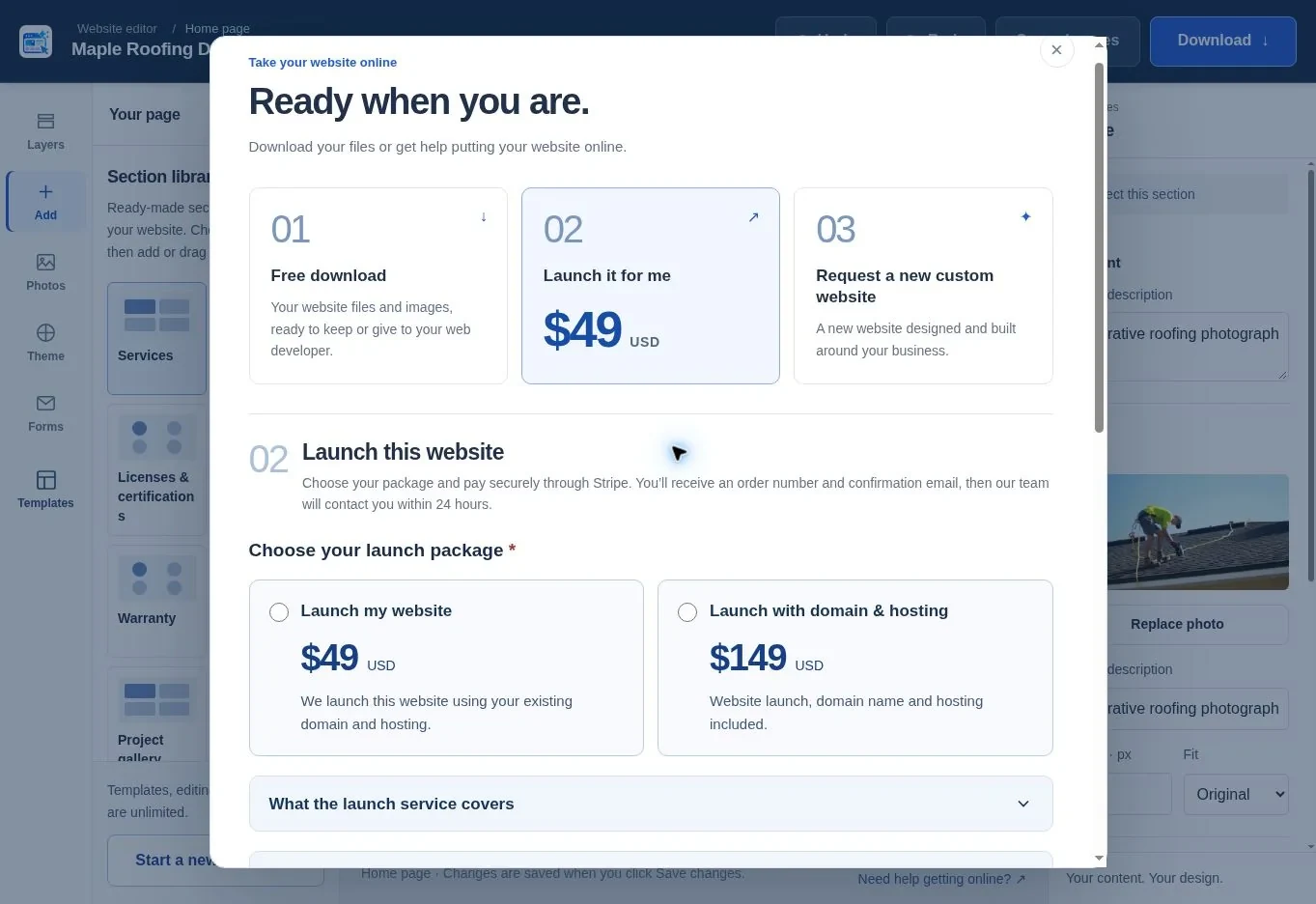
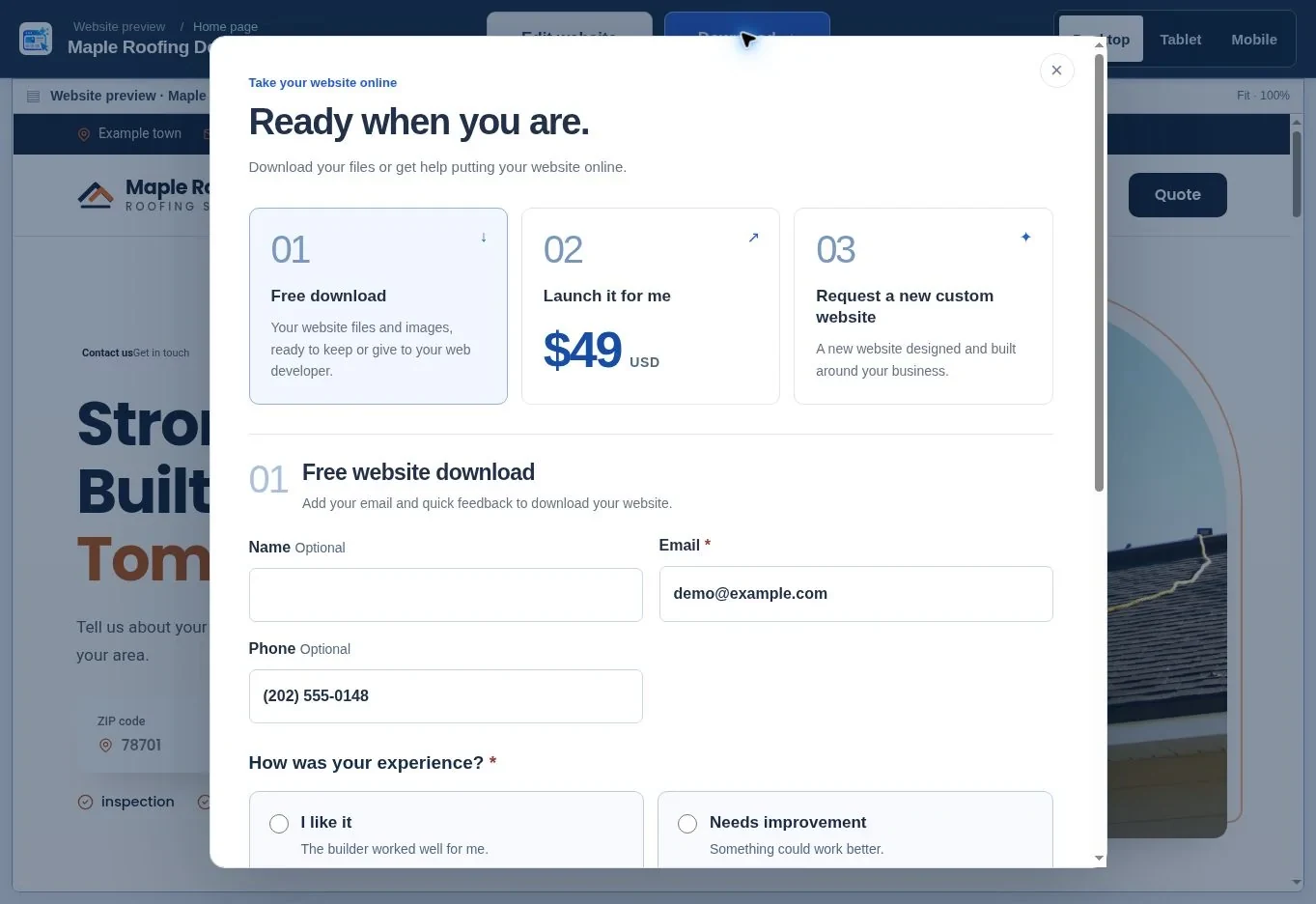
Our published launch options are $49 USD with an existing compatible domain and hosting, or $149 USD including the specified setup. The latter includes 12 months of hosting and one year of an eligible standard-priced domain. Renewal is a separate cost. Compare that defined launch scope with any custom-design proposal. Source: WebsiteGeneratorHub: Terms of Use.
How do free, diy and custom options differ?
The main difference is who supplies the work and where the website is hosted. Free design reduces the initial software cost, but someone still needs to prepare the facts and check the final result.
| Option | Initial payment model | What you still need to arrange |
|---|---|---|
| WebsiteGeneratorHub template | Free use, editing and download | Domain, compatible hosting and inquiry delivery |
| Hosted website builder | Subscription selected at checkout | Content, domain terms, paid add-ons and maintenance responsibility |
| Freelancer | Fixed project or hourly agreement | Exact scope, account ownership and ongoing support |
| Agency | Individually scoped project | Deliverables, integrations, migration and any marketing contract |
Hosted builders can be convenient when you want one place for publishing and editing. Wix's plan page is an example of a provider separating free creation from paid plans. Check the current local checkout and renewal terms; introductory prices and long billing periods can distort a simple monthly comparison.
Custom work makes more sense when the business has requirements that a standard page cannot meet. For example, a commercial HVAC division might need detailed capability information and a tender inquiry route. A residential repair team may instead need a quick call path and clear availability. They should not receive the same proposal by default.
What does WebsiteGeneratorHub's launch price include?
Optional launch help is listed at $49 USD using your compatible existing domain and hosting. Under the published package terms, $149 USD includes launch, 12 months of hosting from go-live and one year of registration for an available, standard-priced .com, .net or .org domain. Premium, aftermarket and reserved domains are excluded. Later renewals are separate: you receive a quote at least 30 days before expiry, and renewal requires your approval and payment. These prices cover launching the selected website, not commissioning an unrelated custom design.
The stated scope includes publishing the selected one-page website, connecting one domain and HTTPS, and checking the page and inquiry-form setup. Hosting and outgoing-email compatibility are confirmed before work starts. Read the current terms of use and the package details displayed in the launch form.
New designs, additional pages, content revisions, migrations, paid services and ongoing maintenance are separate. Domain availability and renewal terms also need checking. This is particularly important if your business email uses an existing domain: changing web hosting should not accidentally interrupt mail delivery.
Free templates remain available without buying launch help. AI generation has its own five-request allowance, including regenerations, shared across the Roofing and HVAC builders. Do not spend that allowance repeatedly trying to solve a missing business fact; improve the details or choose a template first.
Which HVAC features need a separate quote?
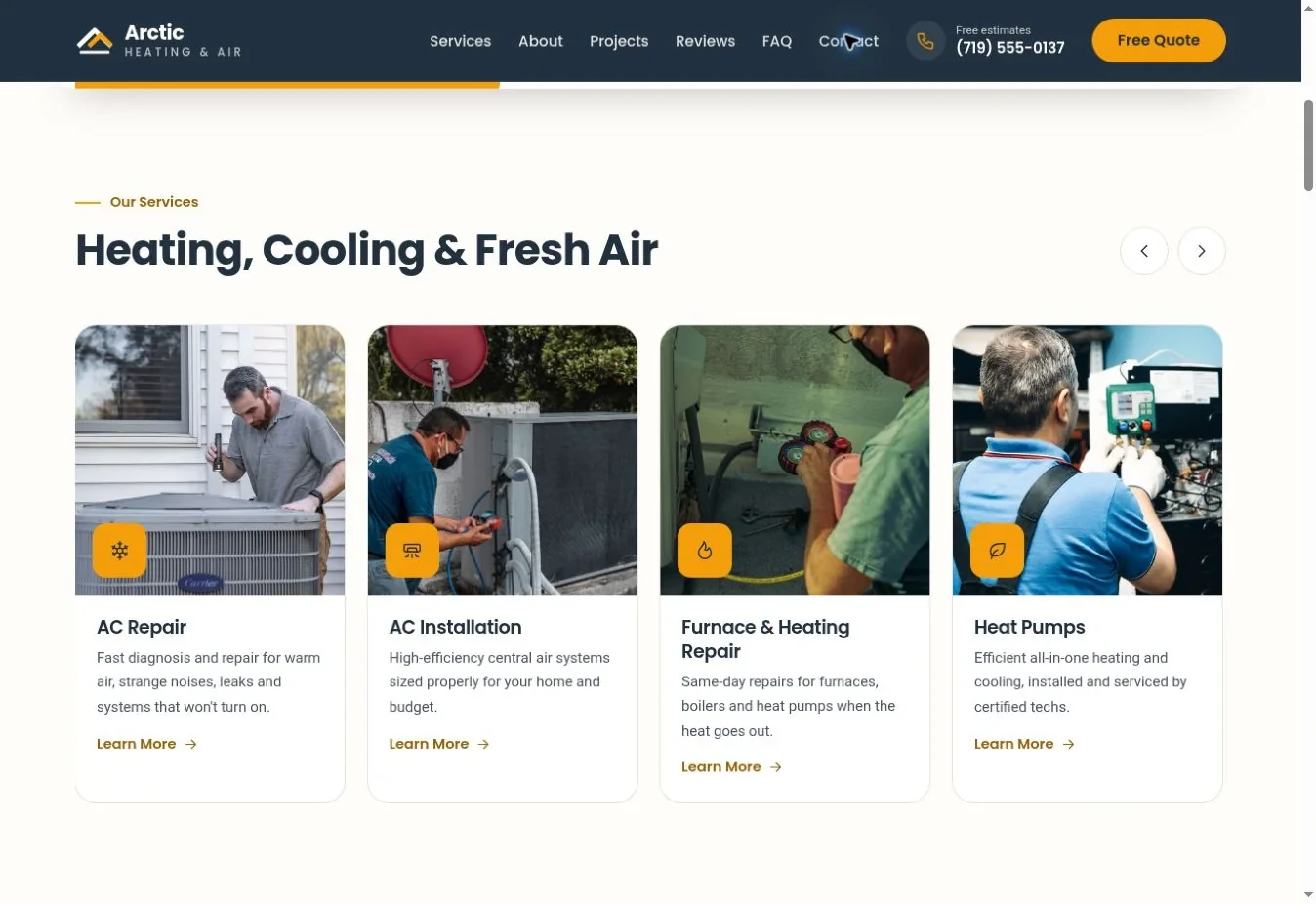
Anything that changes how the office schedules, charges or processes a job deserves a separate specification. A visual button is cheap to add; the reliable system behind it may not be.
Online booking
Decide whether customers are requesting a time or reserving an available slot. A true booking flow needs working calendars, service duration, technician capacity and rules for cancellations. If your office still needs to assess the job, a request form can be the more honest and practical option.
Maintenance plans
A page explaining your plan is different from taking recurring payments and managing memberships. Specify the number of visits, exclusions, renewal rules and cancellation process. If existing field-service software already handles this, linking to its established flow may be simpler than creating another customer database.
CRM and dispatch connections
Name the system and describe what should happen after submission. Does the form create a lead, assign a location, notify a dispatcher or update an existing customer? Ask how duplicates, spam and delivery failures are handled. A successful demonstration should include the office seeing the right information in the right place.
Financing and rebates
Use the finance provider's approved terms and current links. A monthly payment example without its conditions can mislead a customer. Rebates also change by place, equipment and eligibility. Decide who will review these details so an old offer does not remain on the website for months.
How should you calculate the recurring cost?
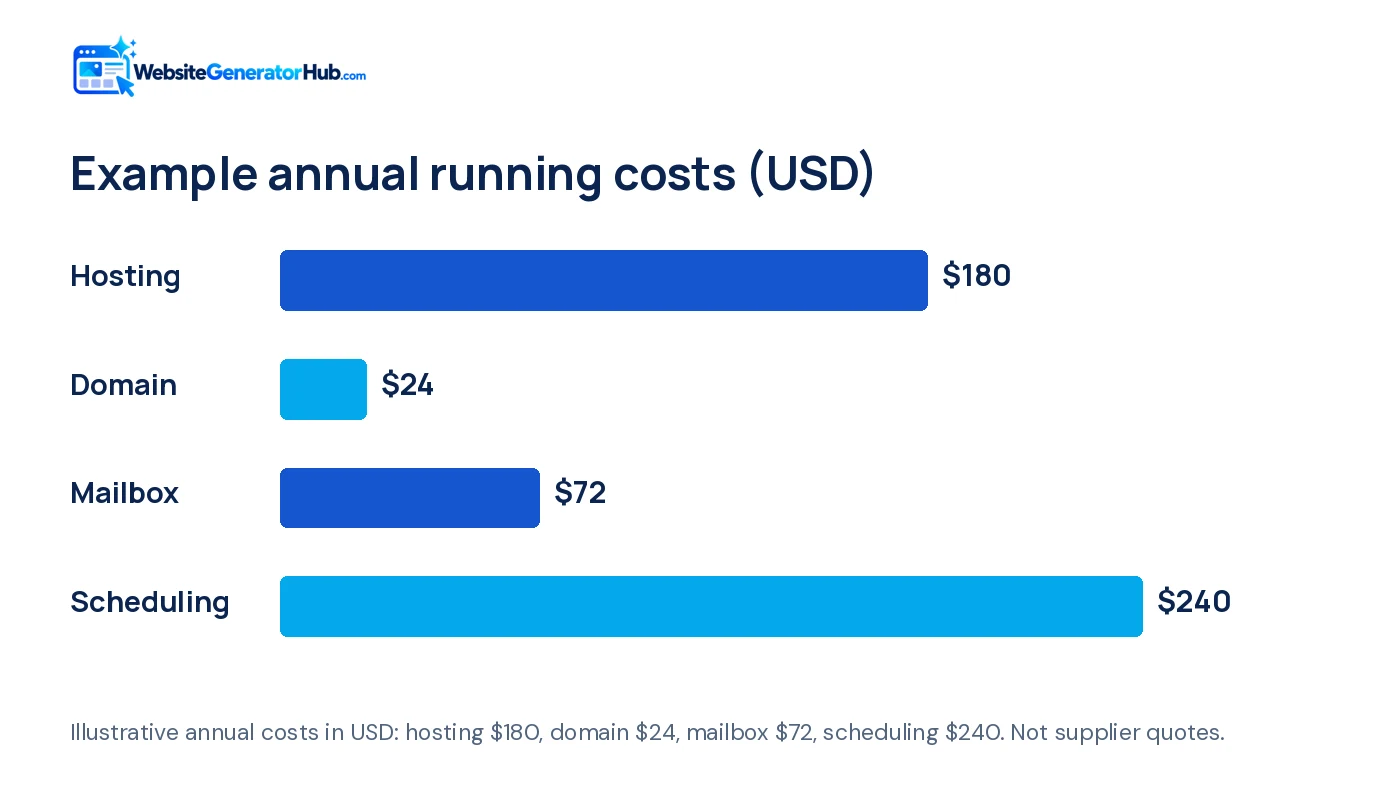
List every recurring service and the person responsible for it. Convert annual and multi-year charges to a common period, but keep the upfront amount visible.
This is an illustrative worksheet, not a quote or a price survey. The figures simply show how several small subscriptions can accumulate.
| Example recurring item | Assumed monthly equivalent | Assumed annual cost |
|---|---|---|
| Hosting | $15 | $180 |
| Domain renewal | $2 | $24 |
| Business mailbox | $6 | $72 |
| Scheduling software | $20 | $240 |
| Total before tax and other services | $43 | $516 |
If you do not need the scheduling subscription, this example falls to $276 per year. If a platform includes one of these services, do not count it twice. Replace every number with the actual offer and check what changes at renewal.
Keep advertising separate. A website invoice, search advertising budget and ongoing content service buy different things. Combining them into one monthly payment can be convenient, but you should still know what continues working if you cancel one part.
When should you build before the busy season?
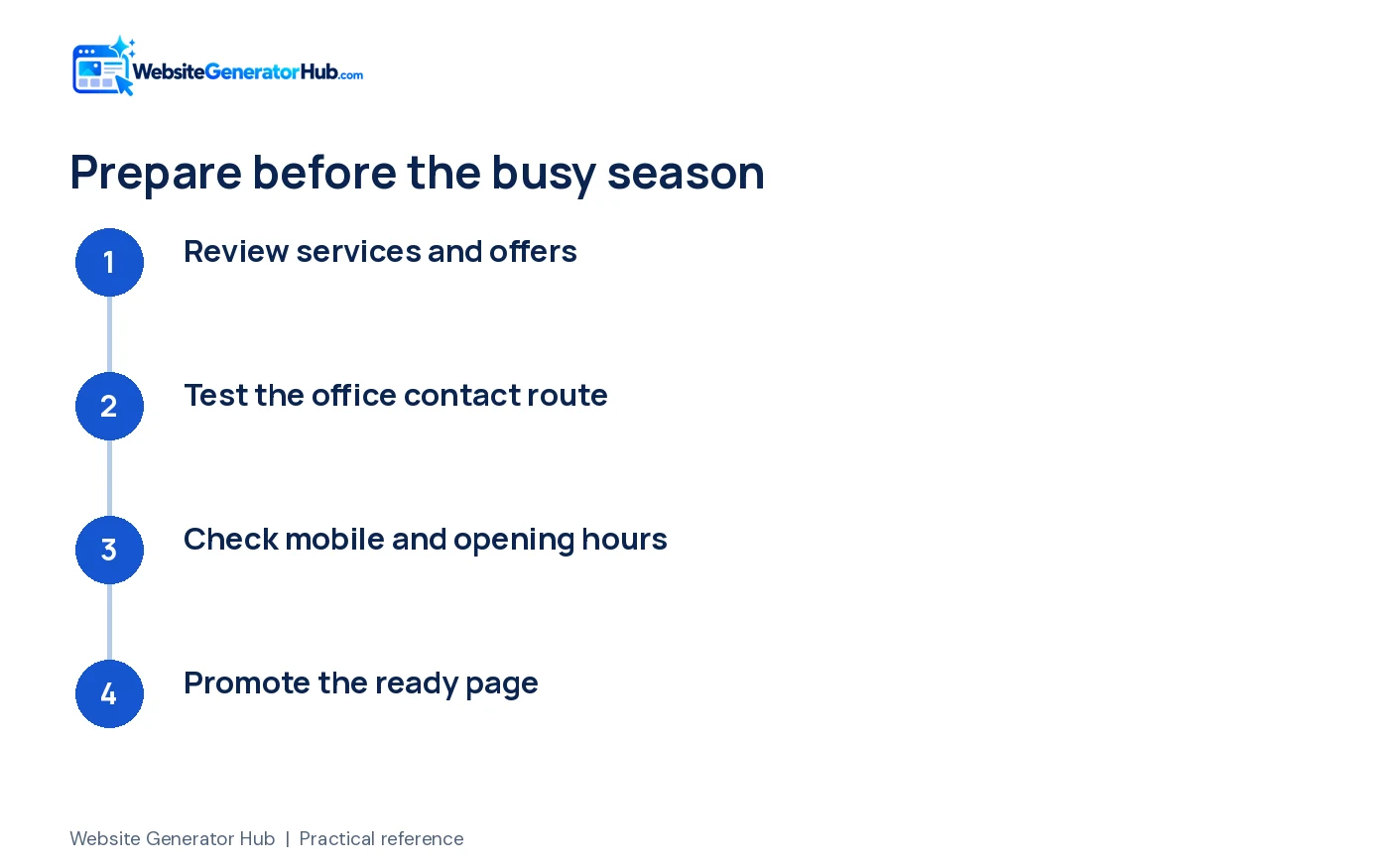
Have the page and inquiry process working before demand rises. The exact timing depends on your market and workload; do not wait until the phones are already busy to discover that a booking form sends nowhere.
ENERGY STAR recommends preseason maintenance, with cooling checks in spring and heating checks in fall. That gives an HVAC business a practical editorial rhythm: review cooling copy and offers before the local warm season, then heating information before the cold season.
This does not mean every company serves both markets equally. A heat-pump specialist, a commercial refrigeration business and a boiler engineer need different content. Make the first release accurate for your work, then add useful material as capacity allows.
Before a seasonal campaign, check the emergency number, hours, available services, finance terms and form delivery. Read the HVAC website checklist and the guide to putting your website online while planning the launch.
How can you judge whether a quote is worth paying?
Judge the proposal by the problem it solves and the evidence of delivery. A polished homepage has limited value if inquiries are lost or staff cannot update a changed phone number.
- Write down the three most important customer tasks.
- Ask the supplier to show how the proposed site handles each task.
- List who writes content and supplies photographs.
- Confirm the software accounts, files and domain ownership you receive.
- Agree the test that demonstrates each integration works.
- Record renewal prices, support limits and the handover process.
Avoid treating a speed score as a complete quality report. Google's Web Vitals distinguish loading, interaction and layout stability. Those are useful checks, but a fast page can still have inaccurate services or an unusable form. Test it as a homeowner and as the person answering the inquiry.
If you want a low-commitment starting point, preview the HVAC templates. Use a real service description and photograph to see what already fits before requesting custom changes.
What should you do before requesting a price?
Describe the work your office wants the website to handle: inquiries, confirmed bookings, plan sales or a simple introduction. Build the budget around that list. Start an HVAC website, follow the creation walkthrough, and compare the free-versus-paid options before committing to a larger project.
Frequently asked questions
Is online booking essential for an HVAC website?
No. A working phone number and request form can be enough when jobs need assessment before a visit is arranged. Confirmed booking is useful when you can reliably offer specific slots. Choose the workflow your office can support, and label a request differently from an accepted appointment.
Will a cheaper website look unprofessional?
Price alone does not determine appearance. Accurate copy, good project photographs, readable typography and a consistent layout can make a modest site convincing. A more expensive build may still use poor content. Inspect the actual mobile page and contact journey rather than assuming either price guarantees quality.
Can a website sell maintenance plans?
It can describe plans and collect inquiries; selling recurring plans requires a suitable payment and account workflow. Confirm renewal, cancellation, included visits and customer communications before adding checkout. If your existing service software already manages memberships, ask whether the website can connect to that system instead.
Should I pay for a separate page for every town?
Only create location pages when you can provide useful, accurate information for those locations. Repeating nearly identical text with a different town name adds little for customers. Start by explaining where you actually work, then add distinct pages when there is a clear service or location need.
Does the website replace my field-service software?
A typical business website does not replace dispatch, estimates, invoicing or technician management. It introduces the business and helps customers contact you. An integration can pass information to existing software, but that needs a defined scope and testing. Ask what data moves and who handles failures.
Can I change the business details after launch?
Yes, but the editing method depends on the platform and hosting setup. Keep access to the relevant accounts and a copy of the website files. Ask for a simple handover showing how to change hours, services and contact details. Confirm whether supplier-assisted edits carry an additional fee.
Sources & further reading
Sources checked .
- WebsiteGeneratorHub FAQ (opens in a new tab)websitegeneratorhub.com
- WebsiteGeneratorHub Terms of Use (opens in a new tab)websitegeneratorhub.com
- Wix plans (opens in a new tab)www.wix.com
- ENERGY STAR maintenance checklist (opens in a new tab)www.energystar.gov
- Google Web Vitals (opens in a new tab)web.dev
- BrightLocal Consumer Search Behavior 2025 (opens in a new tab)www.brightlocal.com
- EIA: Energy use in homes (opens in a new tab)www.eia.gov