Website adviceBusiness website guides
Roofing website design: 15 checks before you launch
Improve your roofing website design with 15 checks for calls, services, project photos, trust and mobile forms. Use the checklist before you launch.


The short answer
Roofing website design: 15 checks before you launch
Good roofing website design helps a homeowner answer four questions: do you handle this job, do you work nearby, can I trust you, and how do I contact you? Build the page around those decisions. Attractive photographs and motion should support the answers, not delay them.
What to remember
- Put the main service and a working phone number near the top.
- Use actual projects and customer feedback you can verify.
- Explain repairs, replacements and urgent work separately.
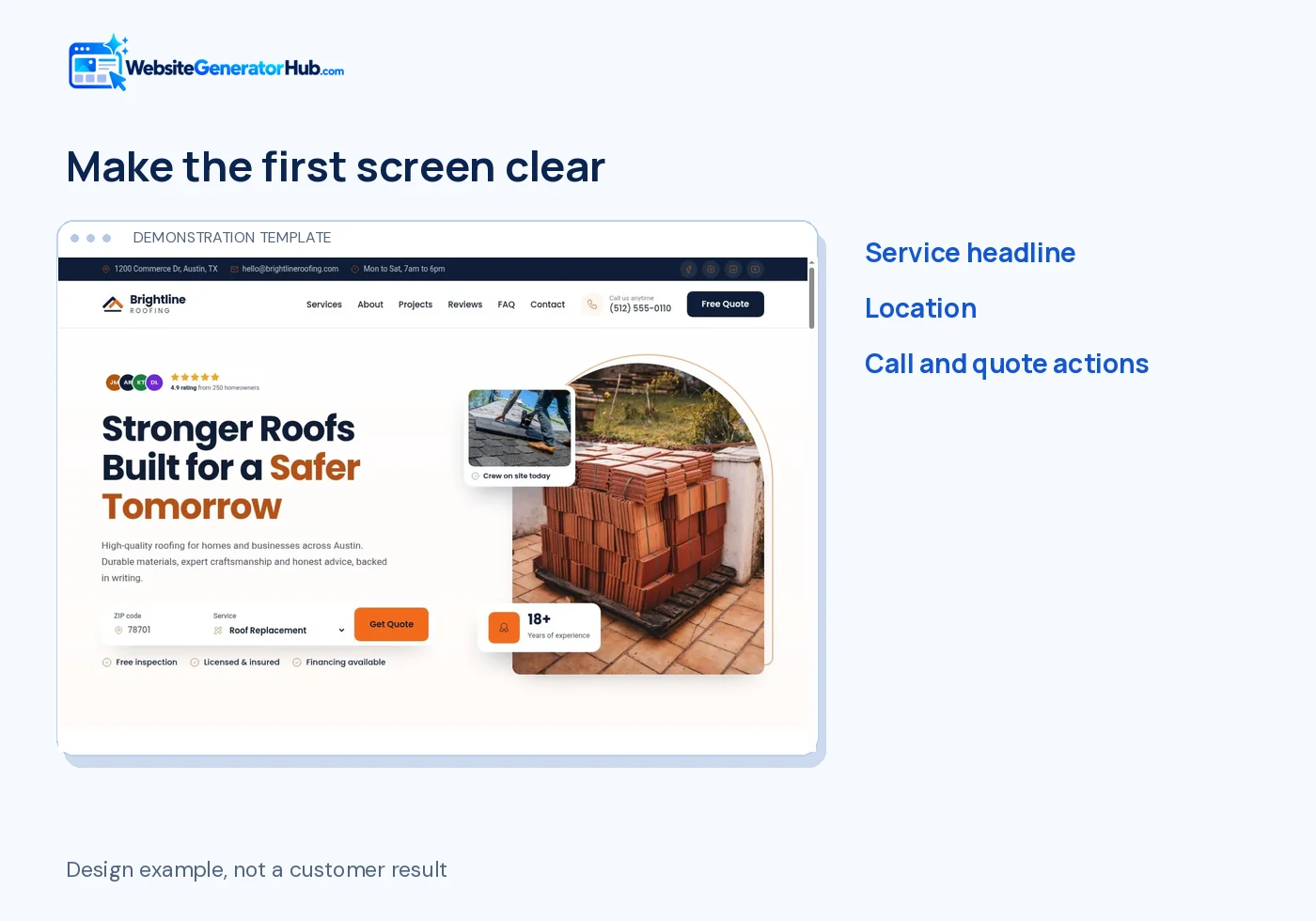
My recommendation: For most roofing businesses, put the service, location and call action in the first screen. Spend your next design hour improving the mobile quote form, not adding another animated background.
- Put the main service and a working phone number near the top.
- Use actual projects and customer feedback you can verify.
- Explain repairs, replacements and urgent work separately.
- Test the full inquiry journey on a phone before promoting the site.
A roofing website does not need every feature on this list to become a long separate section. Several can fit together naturally. The aim is a useful page that feels like your business, not a checklist stretched into endless scrolling.
From my web development work: In one Website Generator Hub review, a dark heading sat on an animated blue background and was difficult to read. The background looked polished, but the heading failed the basic reading test. I now check the main headline and button text against every background state, including on a phone.
What should a roofing website show first?
The first screen should make the business and next action clear. These five items help a visitor decide whether to keep reading or call.
1. a headline that names the job and place
“Roof repairs and replacement in Austin” tells a visitor more than “Quality you can trust.” Add a short explanation of the property types or materials you handle. Use your real location, not a long row of town names. The headline should still make sense without the photograph behind it.
2. a phone number people can tap
Display the number as text and make it a telephone link. Test it on a real phone and check the dialled number, including the country code where needed. Repeat the contact action near the end of the page. A fixed mobile call button is helpful only if it does not cover content or form fields.
3. one clear primary action
Choose an action that matches your process: “Request a roof inspection,” “Book a survey,” or “Ask for a repair quote.” Do not label a request form “Book now” if it only sends an email and does not confirm a time. A second call option is useful; six competing buttons are not.
4. honest emergency information
If you offer emergency work, explain when the phone is answered and what you can arrange. A business-hours callback service is not 24/7 attendance. Do not promise an arrival time unless the operation can support it. Urgent inquiries should not disappear into a form that nobody checks overnight.
5. a useful first photograph
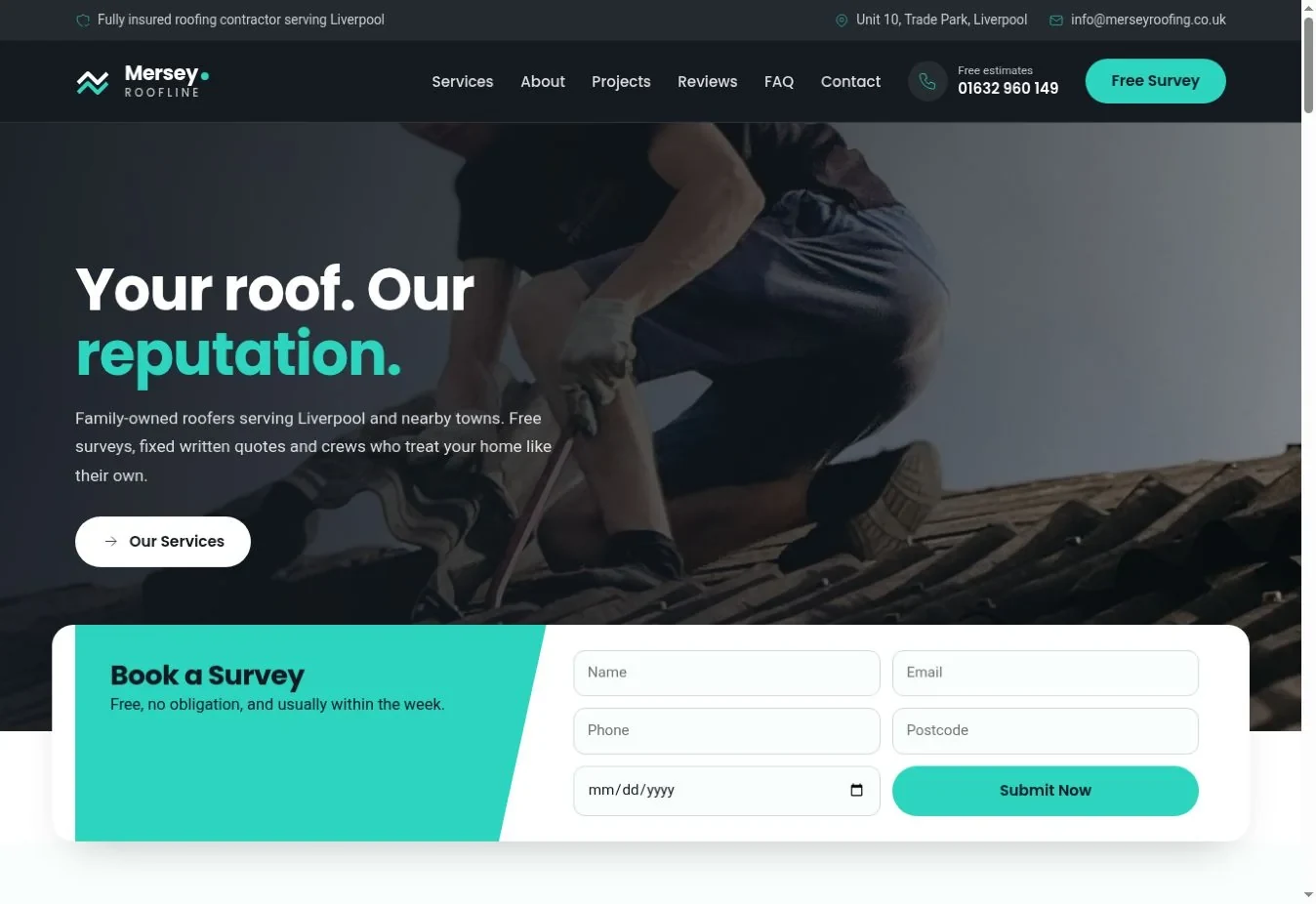
Choose a photograph that explains the work: a completed roof, a careful repair or your crew on a real job. Keep important details visible when it crops on a phone. Avoid placing white type over bright clouds without a solid background or sufficiently dark overlay.
What does the accessibility evidence tell us?
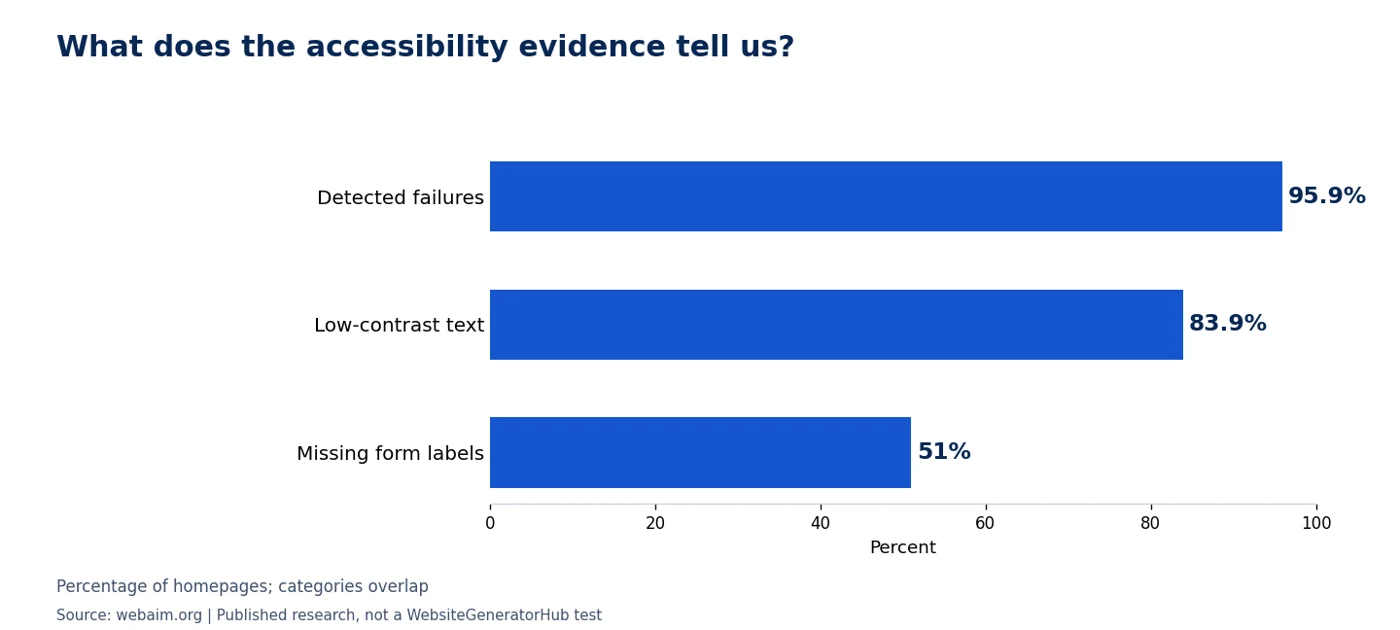
WebAIM’s February 2026 scan of one million homepages found detectable accessibility failures on 95.9%. Low-contrast text appeared on 83.9%, and missing form labels on 51%. These are automated findings across the web, not measurements of roofing sites or proof that an error-free scan makes a site accessible. Source: WebAIM Million 2026.
How should roofing services and proof be presented?
Describe the jobs in the homeowner's language, then support those descriptions with work and facts that belong to your business. These six items help visitors assess fit and credibility.
6. specific service descriptions
Separate roof repair, replacement and inspections. Include flat roofs, slate, tile, shingles or commercial systems only if you work on them. A useful description says what problem the service addresses and what happens next. Six cards with different icons but the same vague sentence add little.
7. clear coverage without a crowded map
Tell customers which towns or areas you serve in ordinary text. If you use an address, distinguish an office open to visitors from an administrative address. Google's business-address guidance allows service-area businesses to hide a non-customer-facing address. Do not send customers to a private home by accident.
A map is optional. A short location statement and a “View on Google Maps” link can be clearer, especially on a phone. WebsiteGeneratorHub does not need an extra generated service-area block for this; accurate contact copy can carry the information.
8. a project gallery with context
Give each project a short title, the general location and the work completed. A before-and-after pair should show the same job from a comparable angle. Avoid a full house number or identifying customer details without permission. Compress the files so four project photos do not become four oversized downloads.
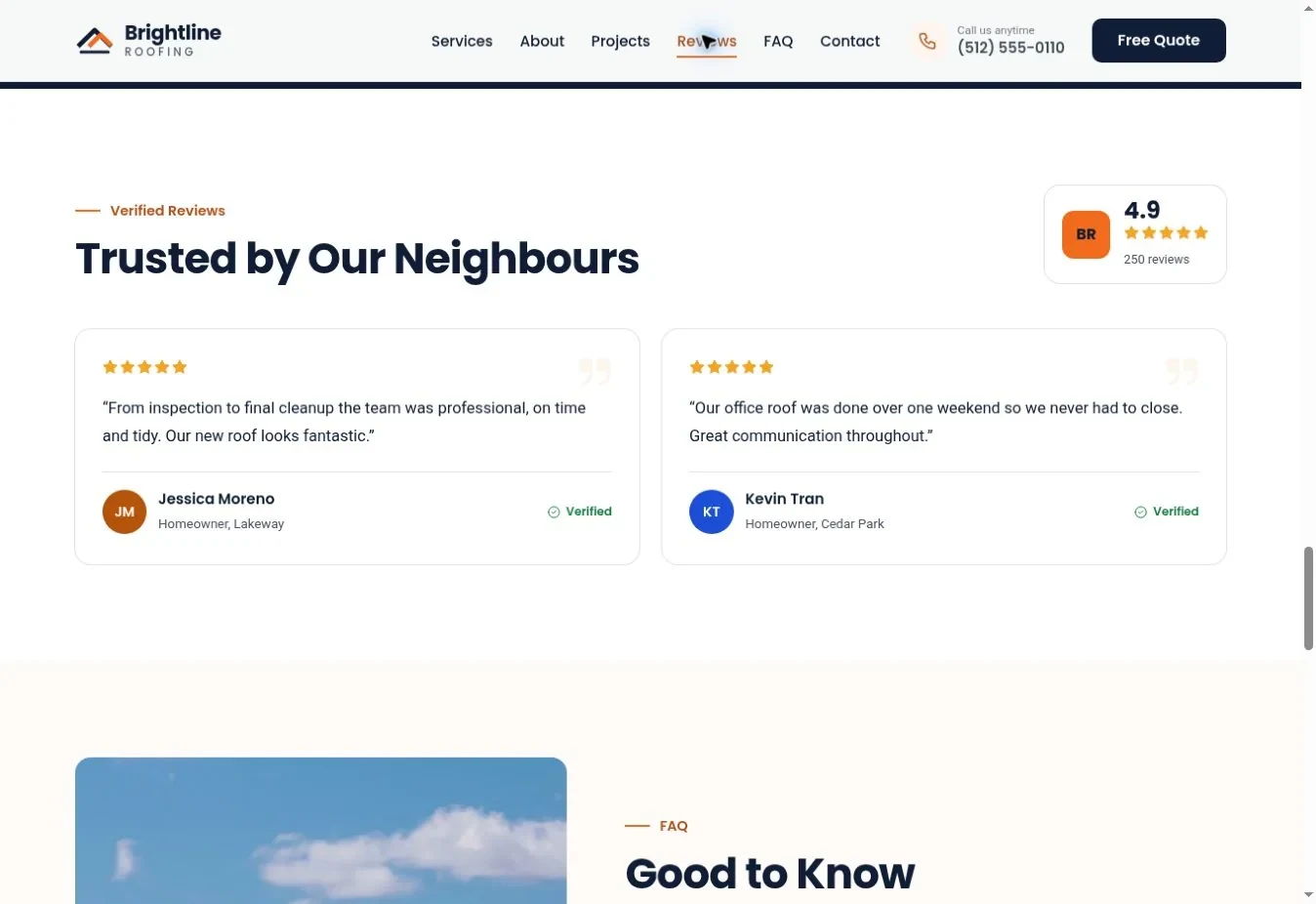
9. genuine reviews with a source
Use customer words accurately and identify the source when appropriate. Do not publish demonstration reviews as if those customers hired your business. The FTC's review guidance addresses false reviews and testimonials; a realistic name or avatar does not make invented feedback legitimate.
If you are new and have no reviews, use real project details, a clear process and verifiable business information. An empty review section is not a reason to invent one.
10. credentials that can be checked
State the relevant license, registration or certification precisely. If a badge belongs to a manufacturer program, make sure your business is entitled to use it. A trade qualification is different from insurance, and neither automatically means every job has a lifetime guarantee. Link to an official verification page where available.
11. warranty and finance information with terms
Explain who provides a warranty, what it covers and where the exclusions are. If you offer financing, use the provider's approved wording and link to the actual terms. Do not turn a generic template badge into a promise. If you do not offer financing, replace the section with payment-process information you can stand behind.
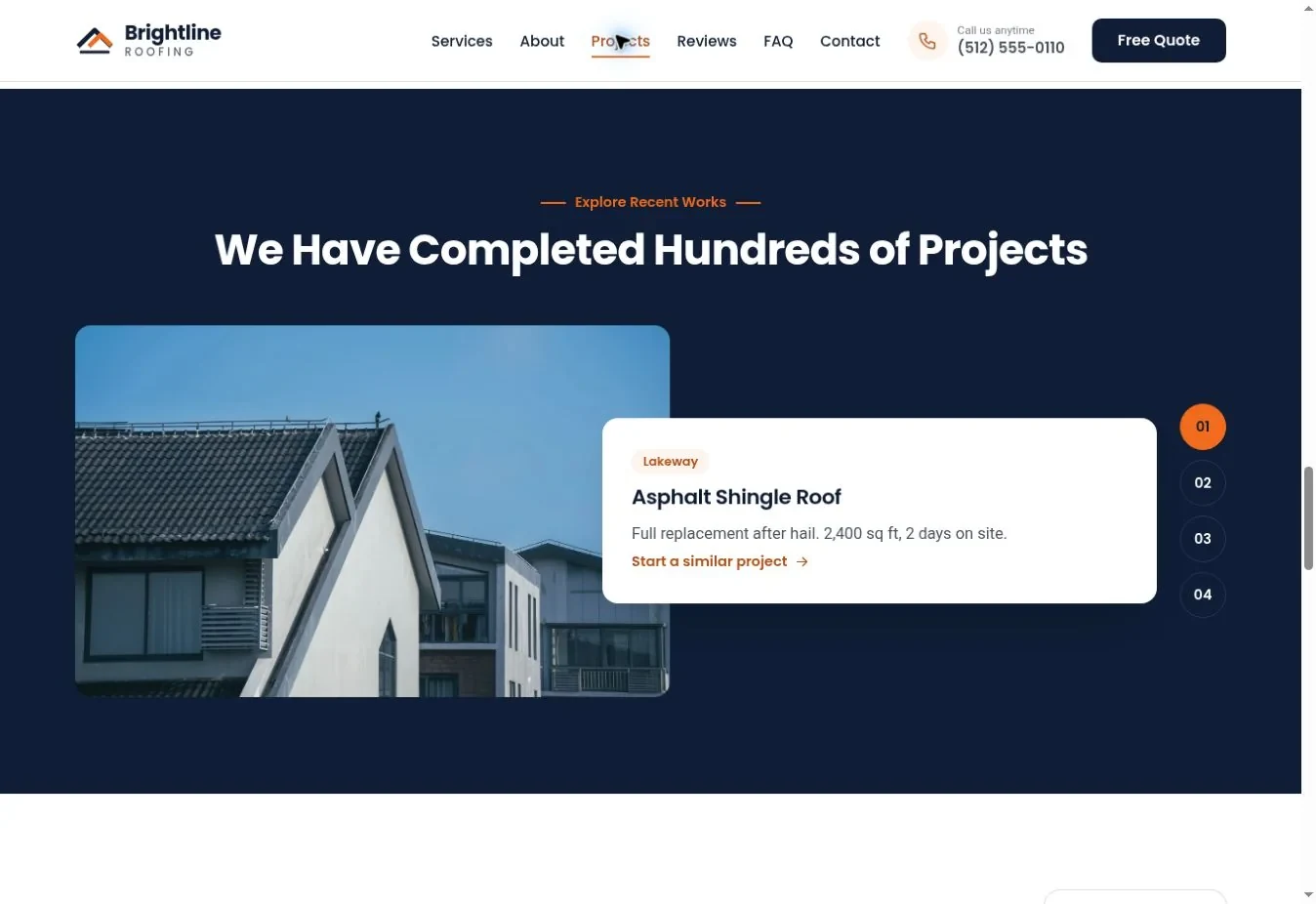
You can compare these ideas in the roofing template gallery, then use the editing guide to adapt the content. Keep the structure you need and remove features that do not describe your business.
What makes the page easier to use?
A useful site works even when the visitor has a small screen, poor connection or a different way of navigating. The final four checks turn a good-looking layout into a practical website.
12. a short quote form that really delivers
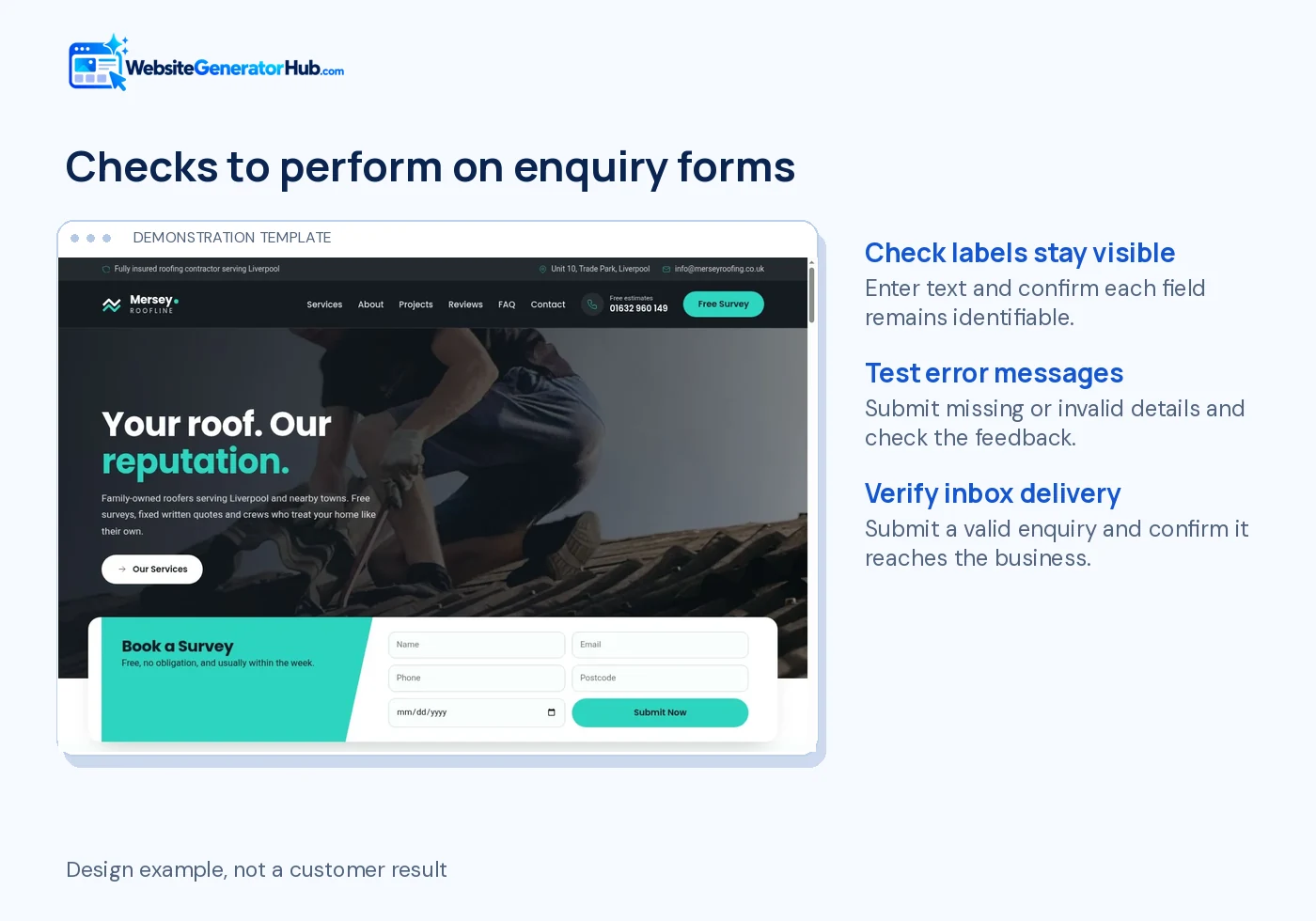
Ask for enough information to respond: name, a contact method, location and a brief description. Add other fields only when the office uses them. W3C's forms guidance recommends relevant, clearly labeled controls and helpful feedback. Place error messages beside the fields and preserve the visitor's answers after an error.
Send a test from outside the business and verify receipt, not merely a success animation. Check spam handling and the reply-to address. On a downloaded site, the hosting and outgoing email configuration must support the inquiry endpoint.
13. readable colors and text
Use the accent color to guide attention, but test text contrast in every section. WCAG's contrast guidance sets a 4.5:1 minimum for normal text and 3:1 for qualifying large text at Level AA. An orange button may need dark lettering. Check hover and focus states too.
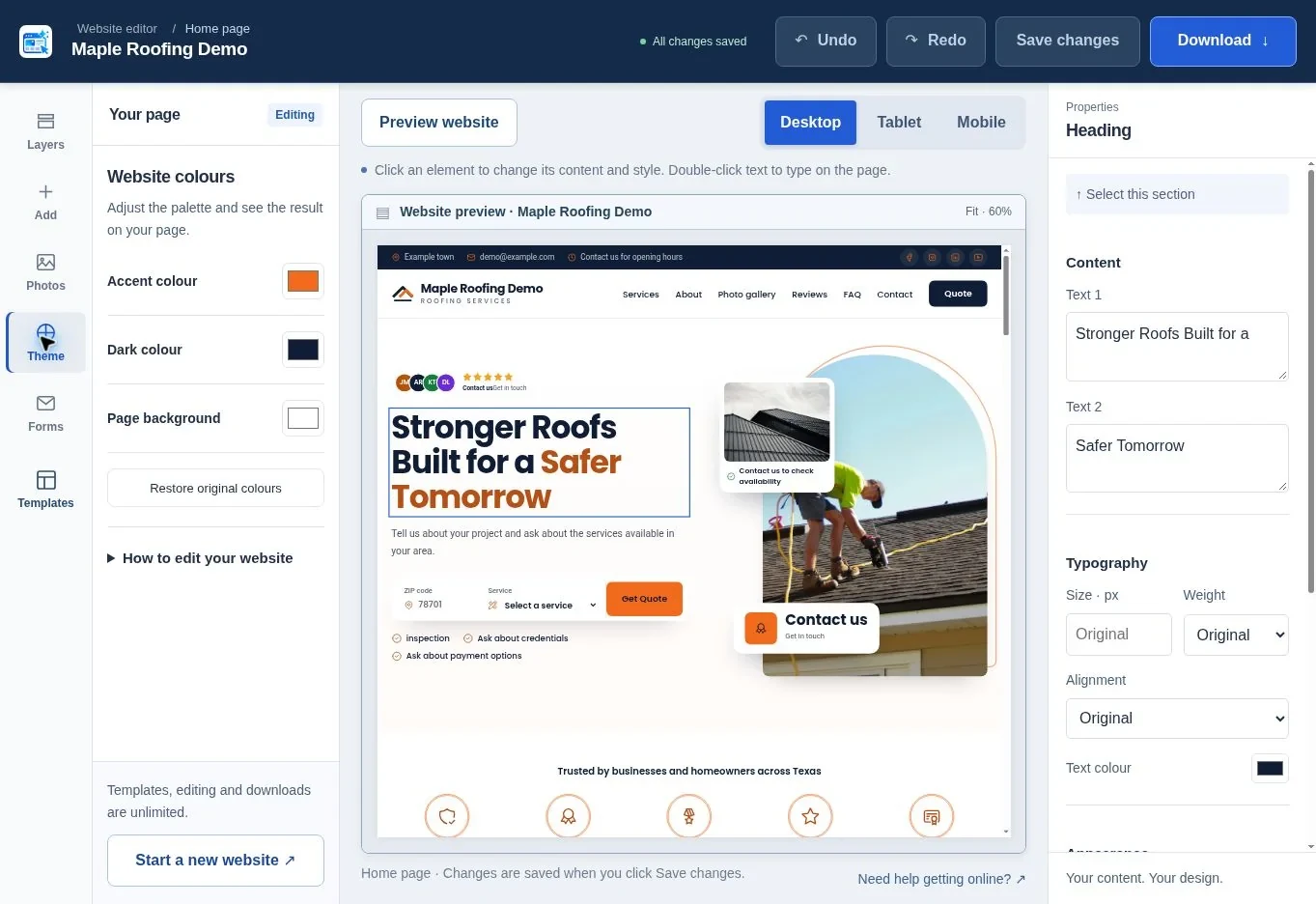
14. controlled image size and motion
Keep galleries and service photos proportionate to their purpose. A portrait crew photo should not create several screens of empty scrolling. Use image dimensions to reserve space, load lower-page imagery when needed and keep the first important image readily available. Respect reduced-motion settings and avoid automatic effects that interfere with reading.
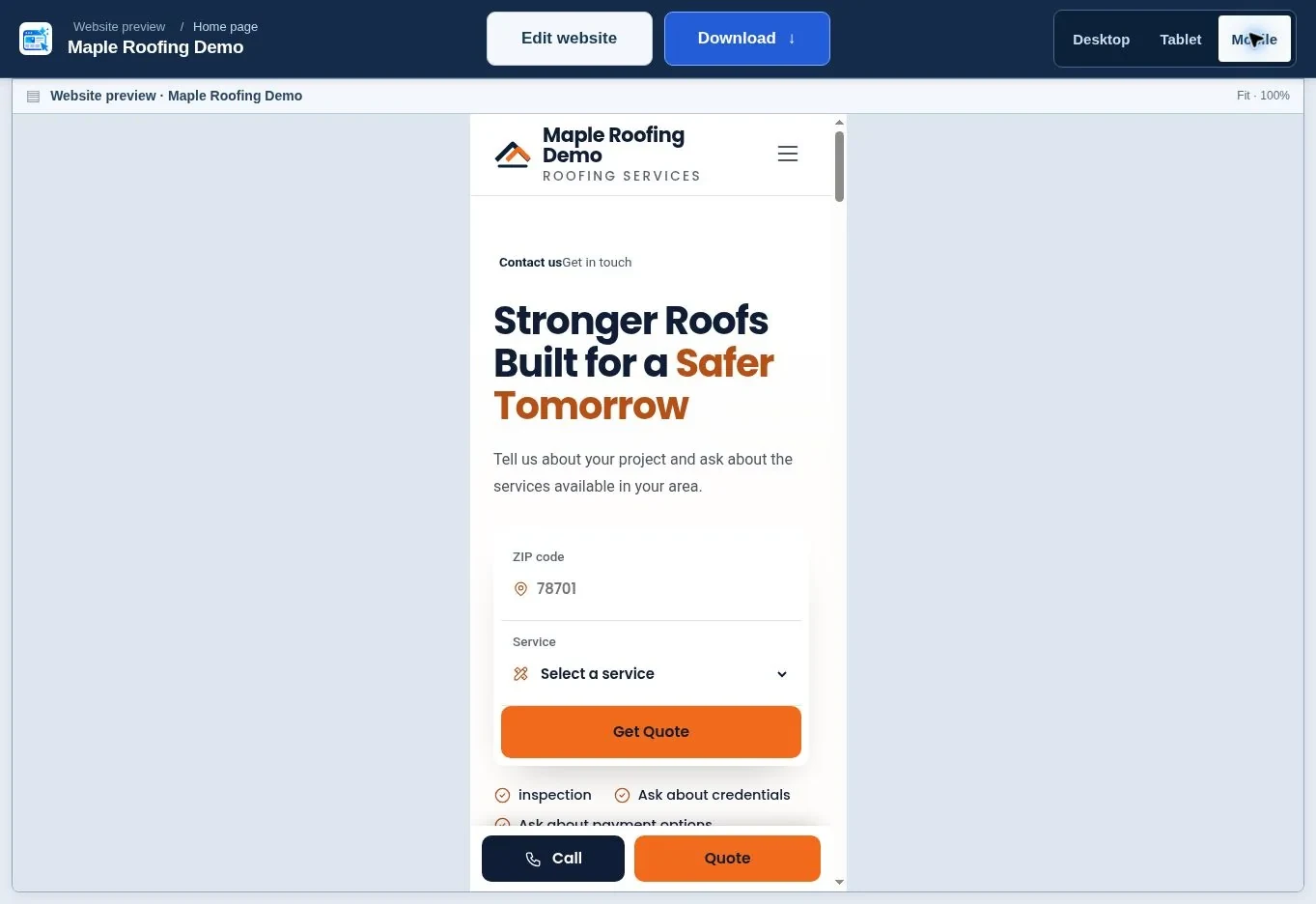
15. a page that stays usable on mobile
Try the menu, gallery, FAQs and form with your thumb. Check that nothing spills sideways or hides behind a sticky bar. Google's Core Web Vitals separate loading speed, response to input and layout stability. A page can feel awkward even when its photographs look excellent on a desktop.
How can you check all 15 items without rebuilding everything?
Start with faults that prevent an inquiry, then improve evidence and appearance. Use the table as a short review sheet, assigning one person to each fix.
| Priority | Check | A practical pass condition |
|---|---|---|
| First | Phone and form | Correct number; a test message reaches the right inbox |
| First | Services and coverage | A stranger can tell whether you handle their job |
| First | Mobile layout | Menu, buttons and fields work without sideways scrolling |
| Next | Projects and reviews | Every displayed claim has a real source |
| Next | Hours and promises | Availability, warranties and financing match actual terms |
| Next | Images and readability | Useful crops, readable contrast and restrained motion |
| Ongoing | Search and upkeep | Accurate profile, monitored inquiries and current content |
Do the first review in a private browser window to reduce the chance that saved logins or old cached content mask a problem. Ask someone who has not worked on the site to find the phone number and request a quote. Watch where they hesitate instead of explaining the page to them.
What should you improve first?
Fix the contact journey before redesigning the entire page. Then replace vague copy and demonstration content with useful evidence. Create a roofing website or compare 20 roofing template examples. If you need help deciding the budget, use the roofing website cost guide and finish with the launch checklist.
Frequently asked questions
Should my roofing website be one page or several pages?
A complete one-page site can work well for a focused local business. Separate pages become useful when services need substantially different explanations, you have several genuine locations, or you publish a growing project library. Add pages for a clear reader need, not simply to repeat town names.
Do I need a video in the hero?
No. A strong still photograph and a clear message can explain the business immediately. Video adds production and loading work and can compete with the call button. If you use it, provide a meaningful still fallback, avoid intrusive autoplay audio and check the mobile experience on a slower connection.
Can I use stock roof photographs until I have my own?
Yes, if the license allows the use and you do not present the image as your completed work. Use stock for general service illustration, then replace it with your own photos as projects finish. Keep genuine project captions separate so customers can tell what your business has actually delivered.
Should every service card have a separate button?
Only when the button leads somewhere useful. It might open a detailed service page or take the visitor to a form with that service selected. Repeating “Learn more” links that all go to an unrelated section creates extra work. Clear card headings can do much of the navigation.
Is a Google Maps embed necessary for local SEO?
No map embed guarantees a ranking improvement. Accurate business information and a useful page matter more than inserting a large map for its own sake. Google's local guidance describes relevance, distance and prominence. Provide location details in text and use a directions link when that better serves visitors.
How often should I review the website?
Review it whenever your phone, services, hours or offer changes. Also schedule a regular form test and content check, especially before busy seasons. A simple monthly review can catch an expired promotion or broken inquiry route. The right interval depends on how often the business changes.
Sources & further reading
Sources checked .
- W3C forms tutorial (opens in a new tab)www.w3.org
- W3C contrast guidance (opens in a new tab)www.w3.org
- Google Web Vitals (opens in a new tab)web.dev
- FTC review rule questions and answers (opens in a new tab)www.ftc.gov
- Google business address guidance (opens in a new tab)support.google.com
- Google local ranking guidance (opens in a new tab)support.google.com
- WebsiteGeneratorHub FAQ (opens in a new tab)websitegeneratorhub.com
- WebAIM Million 2026 (opens in a new tab)webaim.org